
Accessing the benefits of a Cash App card is a stride toward more streamlined digital financial management. Learn how to get a Cash App Card without an ID as it functions like a debit card, directly linked to your Cash App balance. It provides convenience, allowing you to make purchases in-store and online wherever Visa is accepted. If you’re without an ID, you might wonder how to obtain this card, given that most financial transactions require some form of identification.
Navigating the financial world without an ID seems daunting, but the Cash App offers a level of flexibility. For those over 18, applying for a Cash App card without an ID may not be possible, as verifying your identity is a significant step in preventing fraud and complying with financial regulations. However, individuals as young as 13 might be eligible with parental approval. Understanding these requirements ensures you approach the process with realistic expectations and proper preparation.
Understanding Cash App Card Eligibility
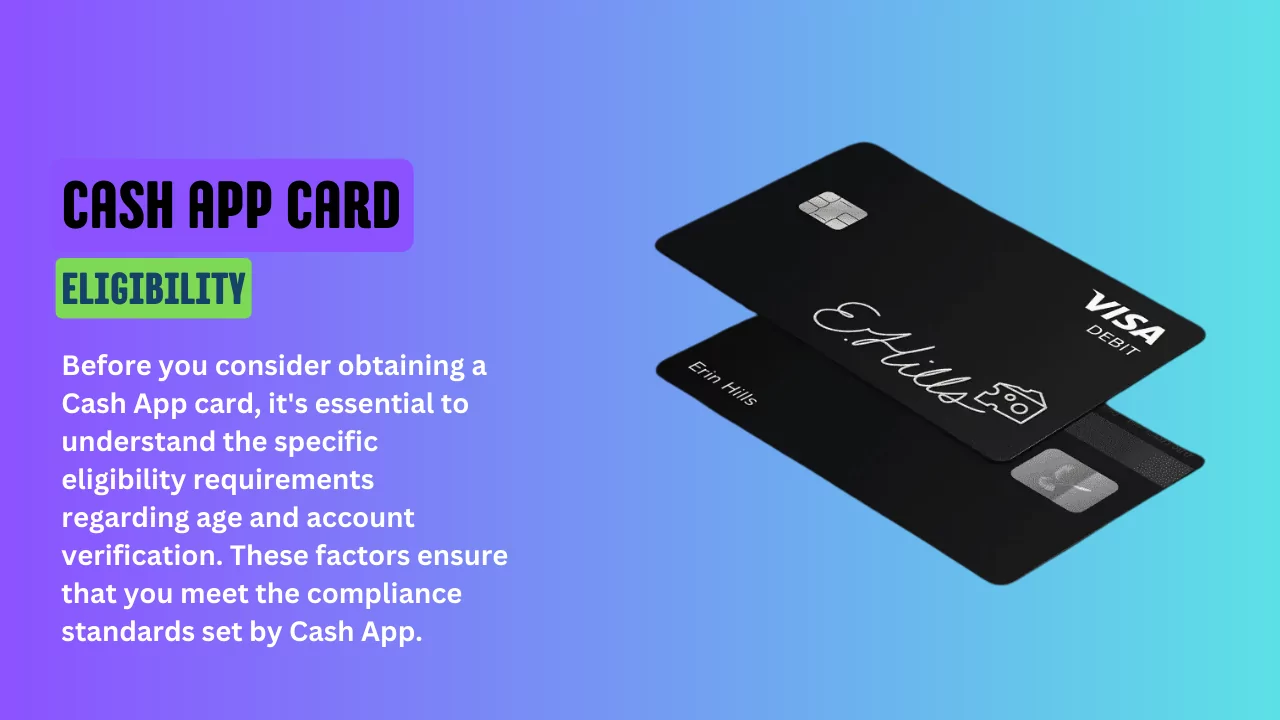
Before you consider obtaining a Cash App card, it’s essential to understand the specific eligibility requirements regarding age and account verification. These factors ensure that you meet the compliance standards set by Cash App.
Age Requirements
Cash App has established clear age requirements for users interested in obtaining a Cash App card. If you’re under 18 years old, parental approval is necessary. Otherwise, you must be 18 years or older to apply for and use a Cash App card independently.
Cash App Account Verification
For Cash App card eligibility, your account must go through a verification process. This typically includes the following personal details:
- Full name
- Date of birth
- The last four digits of your Social Security Number
Omitting a full ID from the verification can limit your Cash App functionalities, which could potentially impact your ability to acquire a Cash App card. Ensure your personal information is accurate to maintain a verified status on the Cash App. Additionally, you can also read How to Use Visa Gift Card on Shein.
Creating a Cash App Account
Starting your journey with Cash App requires forming the foundation of your financial activities and creating an account. This process is straightforward and user-friendly.
Step 1: Download the App
First, download the Cash App from your phone’s app store. It’s readily available for both iOS and Android devices.
Step 2: Open the App and Enter Your Details
Upon opening the app, you’ll be prompted to enter your email or phone number. Following that, you’ll receive a verification code.
Step 3: Verification
Enter the code to verify your device. This step bolsters the security of your account.
Step 4: Connect to Your Bank
Link your existing bank account by adding your bank account details. This will allow for transactions and funding of your Cash App account.
Step 5: Choose Your $Cashtag
Your $Cashtag is a unique identifier for your Cash App account. Choose carefully, as it will be how others can send or request money from you.
Step 6: Secure Your Account
Set a security PIN or use Touch ID to ensure that your account remains secure.
Here’s a simplified view of the process:
| Step | Action |
|---|---|
| Get the App | Download from iOS or Android store |
| Sign Up | Enter your email or phone number |
| Verification | Enter the received code |
| Bank Connection | Provide your bank account details |
| Create $Cashtag | Select a unique identifier |
| Account Security | Set a PIN or use Touch ID |
While forming your Cash App account, no ID is strictly required; however, it’s important to note that certain features of Cash App, such as ordering a Cash Card, may be limited without providing additional identity verification.
Ordering Your Cash App Card
The process of getting a Cash App card is straightforward, even if you do not have an ID. This section will guide you through navigating the Cash App interface to order your card, the specifics of applying without an ID, and what features the Cash App card offers.
Navigating the Cash Card Tab
To begin ordering your Cash App card, open your Cash App and locate the Cash Card tab on the home screen. This tab is your gateway to accessing Cash Card features and starting the order process. Tap on this tab and select ‘Get Cash Card’ or the equivalent prompt to initiate your application.
Applying Without ID
If you’re under 18 years old, you can apply for a Cash App card with parental approval. For those above 18, typically, identification might be requested. However, if you face issues with ID verification, you should contact Cash App support for alternative verification methods that may help you complete your application.
| Age Group | ID Requirement | Parental Approval |
|---|---|---|
| Below 13 years | Not Eligible | N/A |
| 13 to 17 years | With Parental Approval | Required |
| 18 years and above | Normally Required | Not Required |
Cash App Card Features
The Cash App card is a Visa debit card that can be personalized and used for transactions wherever Visa is accepted. With this card, you can customize its design to suit your style. Additionally, once ordered, you can add your Cash App card to digital wallets such as Apple Pay or Google Pay and start using it even before the physical card arrives.
Read Also: Why Is Shein Not Accepting My Visa Gift Card
Activating Your Cash App Card
When you receive your Cash App card, activating it is essential to start using it for your transactions. Whether you have the QR code that came with it or not, activation can be done quickly through the app.
Using the QR Code
To activate your Cash App card use the QR code:
- Open the Cash App on your device.
- Tap the Cash Card tab on your Cash App home screen.
- Select Activate Cash Card to start the process.
- Tap OK when Cash App requests permission to use your camera.
- Scan the QR code located on your Cash Card.
Once scanned, your card is immediately activated and ready for use.
Without a QR Code
If you don’t have the QR code, you can still activate your card:
- Open the Cash App on your smartphone or device.
- Go to the Cash Card tab.
- Choose Activate Cash Card to proceed.
- Tap Activate Without QR Code and enter your card’s details.
You’ll need to provide the CVV code from the back of your Cash App card and your signature when prompted. After this, your card will be activated, allowing you to make purchases with your new Cash App card.
Using Your Cash App Card
Successfully obtaining your Cash App Card opens up new avenues for managing finances and conducting transactions with ease. It’s time to put it to use.
Making Online Purchases
With your Cash App Card a Visa debit card, you can effortlessly make online purchases. Once you order your card through the app, you immediately gain access to the card details. This allows you to add it to your Apple Pay or Google Pay and start making online purchases, even before the physical card arrives.
Using Your Card In Stores
Your Cash App Card carries the same functionality as a traditional debit card when shopping in physical stores. Securely add it to Apple Pay or Google Pay on your smartphone, and use it at checkout terminals that accept contactless payment, ensuring your Cash App balance is utilized.
Withdrawing Money at ATMs
Access your Cash App balance conveniently at ATMs. For those receiving $300 or more in paychecks directly deposited into their Cash App each month, Cash App provides an incentive with unlimited free withdrawals, including ATM operator fees. Simply use your Cash Card to withdraw money at ATMs nearby.
Improving Security and Management
When acquiring a Cash App Card, ensuring that it remains safe and secure is paramount. Vital to this is setting up a secure PIN and consistently monitoring card activity.
Setting Up Your PIN
Your Personal Identification Number (PIN) acts as the first line of defense for your Cash Card. To set this up:
- Open your Cash App.
- Navigate to Profile or Security settings.
- Select Change Cash PIN or Privacy & Security.
- Follow the prompts to create a new PIN.
Remember, your PIN should be unique and not easily guessable to bolster security.
Monitoring Your Card Activity
Keeping a vigilant eye on your transactions is crucial for managing your Cash Card. To monitor your activity:
- Frequent the Activity tab on your Cash App to review recent transactions.
- Ensure Notifications are turned on to receive alerts for any new activity.
- Report any unauthorized transactions immediately via the app to maintain security.
By actively monitoring, you keep your account and funds safe and secure.
Understanding Cash App Card Benefits
Are you considering a Cash App Card? Let’s explore the benefits that make it a solid addition to your wallet.
Convenience is king with the Cash App Card. You can send and receive money instantly, streamlining how you manage funds with friends and family. Transferring money to friends or receiving gifts from relatives is as simple as a few taps on your smartphone.
No Hidden Fees: Say goodbye to the dread of unexpected fees. The Cash App Card boasts no monthly maintenance fees, no overdraft fees, and if used wisely, you can avoid ATM fees.
Boosts Program: Imagine getting instant discounts on purchases. This card’s Boosts program allows for just that, offering unique cash-back deals at selected retailers, providing real savings on everyday transactions.
| Benefits | Details |
|---|---|
| Send Money | To friends with a simple tap |
| Receive Money | Instantly from friends and family |
| Boosts | Discounts at selected merchants |
| No Hidden Fees | Transparent transactions |
| Acceptance | Use wherever Visa is accepted |
Remember, while you can relish limitless transactions between Cash App users, be mindful of the limits when it comes to cashing out or ATM withdrawals. And while there are many perks, it’s important to stay within the set limits to maintain fee-free bliss.
By choosing a Cash App Card, you’re opting for a fluid financial tool. With cutting-edge security to protect your transactions, you have a smart, accessible way to manage your money. Take control and make your finances as mobile as your lifestyle.
Customizing Your Cash App Card
When you choose to get a Cash App Card, you’re not just receiving a standard debit card; you’re gaining access to a customizable financial accessory. Curious about how you can personalize it?
Choosing Card Elements:
- Color: Select a color that suits your style.
- Signature: Your signature on the card can be anything from your actual sign-off to a set of symbols or a drawing.
- Emojis: Express yourself by adding emojis.
Steps to Customize:
- Initiate Customization: Tap the cash card tab on your Cash App home screen.
- Design Your Card: Choose your desired color and add a unique signature or emojis.
- Confirm Your Design: Review your customizations to ensure they’re just right.
Before you proceed, keep in mind that customizing your Cash App Card might involve a small fee, typically around $5.
Keep These in Mind:
- Customization is a one-time process; changes aren’t allowed after confirmation.
- Your custom card should arrive within 14 days after ordering.
Have you ever wanted a payment card that reflects your personality? Your Cash App Card is just that – an extension of your uniqueness in your wallet. Get creative and make it yours!
Cash App Card Limits and Fees
When you’re considering getting a Cash App Card, understanding the limits and fees associated with its use is crucial.
Limits
Your Cash App has various limits that influence how much you can withdraw and spend. Initially, without ID verification, you’re capped:
- Sending Limit: $250 per 7 days
- Receiving Limit: $1,000 per 30 days
Post ID verification, these limits can increase, providing you with:
- Unlimited receiving balance
- Increased sending limit
Fees
Now, let’s talk about the fees:
- Standard: No fee for standard deposits or transactions
- Instant Transfer: 1.5% fee for instant transfers to your bank
- ATM Withdrawals: $2 fee from Cash App plus any ATM fees
Remember, any changes in fees or limits are informed by Cash App accordingly, and it’s always best to check the latest information through the app. Keeping an eye on your balance is critical to managing your finances effectively with your Cash App Card. Stay informed to make the most out of your Cash App experience.
Adding Money to Your Cash App Balance
To effectively use Cash App for transactions, you’ll need to maintain a healthy balance. Adding money to your Cash App balance can be done in several ways, each with its own simple steps.
Bank Transfers
Adding cash to your Cash App balance via a bank transfer is a straightforward process. To begin, link your bank account to Cash App. Then follow these steps:
- Open the Cash App on your device.
- Navigate to the banking or “My Cash” tab.
- Select ‘Add Cash.’
- Choose the amount you wish to transfer.
- Confirm the transaction with your PIN or Touch ID.
Transfers typically happen instantly but may take up to two business days depending on your bank’s processing time.
Depositing Paper Money
If you prefer dealing with paper money, the Cash App makes it possible to add cash to your balance at select retail locations. Here’s what to do:
- Open the Cash App and use the bank icon to find the ‘Paper Money’ option.
- Allow Cash App to use your location to find nearby locations.
- Go to a participating retailer, and inform the cashier you’d like to deposit cash into your Cash App.
- You may need to provide your phone number or $Cashtag.
- Hand over the cash plus any applicable fees and the funds will be added to your balance.
Using Direct Deposit
Direct deposit is an efficient way to add funds to your Cash App balance, particularly for paycheck deposits. To set this up:
- Access the ‘Banking’ tab in the Cash App.
- Select ‘Direct Deposit.’
- Obtain your account and routing numbers.
- Provide these to your employer’s payroll department.
After setup, your earnings will automatically be deposited into your Cash App balance.
Cash App Card Alternatives
When seeking alternatives to the Cash App card, you will find viable options in electronic wallets and prepaid debit cards. These alternatives offer diverse functionalities catering to various preferences and may not require an ID to acquire or use.
Electronic Wallets
Apple Pay and Google Pay serve as strong alternatives. These services allow you to make contactless payments and are widely accepted:
- Apple Pay: If you own an Apple device, setting up Apple Pay to make secure purchases is seamless. Simply add your eligible cards and continue with touchless payments.
- Google Pay: For Android users, Google Pay is a comprehensive mobile payment service. It provides high transaction limits and integrates money management tools.
Prepaid Debit Cards
Prepaid debit cards are another substitute for those who do not want to use or don’t have access to Cash App. Here’s how they stand out:
- Prepaid cards offer the convenience of card payments without a traditional bank account.
- Many retailers sell them, and you can typically load money onto them at various locations.
Choosing between these alternatives depends on your personal preference for digital ease or physical card convenience.
How to Get a Cash App Card Without an ID: Troubleshooting Common Issues
When you encounter difficulties with obtaining or using a Cash App Card, it’s essential to know how to address these problems. This section covers practical steps to resolve common issues without needing an ID.
Contacting Customer Support
If verification challenges arise or you need assistance with account-related concerns, Cash App’s customer support is available. For the most direct help, use contact information provided on the Cash App website or the app’s support section. Detailing your issue to a support representative can lead to a timely and effective resolution.
Lost or Stolen Cards
If your Cash Card is lost or stolen, act immediately to prevent unauthorized use. Navigate to the Cash App to report your card as missing. This will temporarily disable the card. Following this action, reach out to customer support to order a replacement.
Transaction Errors
For transaction errors, such as unauthorized charges or discrepancies in your account balance, reviewing your transaction history is the first step. To resolve these issues, report the error directly through the app or contact customer support with specifics of the transaction in question for swift remediation.
Additional Cash App Features
While securing a Cash App card without an ID catches interest, it’s worth noting that Cash App offers a suite of features that extend beyond just managing a Cash Card. Here’s what you should know about additional offerings that can enhance your financial transactions.
Peer-to-Peer Payments
With its primary function as a peer-to-peer payment app, Cash App allows you to send and receive money effortlessly. It’s as simple as using a, phone number, or scanning a QR code. Whether splitting a bill with friends or paying your share of the rent, transactions are swift and secure.
Investing and Bitcoin
Cash App goes beyond basic transactions with options to invest in stocks and Bitcoin directly through the app.
- Stocks: Start investing with as little as $1, and choose from a wide range of companies.
- Bitcoin: Buy, sell, and withdraw Bitcoin, keeping a close eye on the cryptocurrency market within one platform.
Cash App Boosts
Boosts are Cash App’s exclusive discounts applied directly to Cash Card purchases. Here’s how they work:
- Activate a Boost on your Cash Card.
- Use your card at eligible merchants to receive instant discounts.
- Boosts can be swapped regularly, so keep an eye out for new offers that match your spending habits.
With these functions, Cash App stands out as a versatile financial tool, tackling everything from daily transactions to long-term investing, without compromising on convenience or security.
Conclusion
So, all these concludes today’s topic how to get a Cash App Card without an ID. In conclusion, the Cash App card is a good choice if you want an easy way to manage money without needing an ID. With the Cash App, you can send money to friends, get paid, and use a customized debit card.
The app makes it simple to add money from your bank or work paycheck. You can also deposit cash at stores. The Cash Card lets you shop online and in stores, anywhere Visa is accepted.
There are limits on how much you can send or take out at ATMs. But there are no monthly fees or overdraft charges. Overall, the Cash App card gives you a convenient, ID-free way to handle your finances. It’s a handy tool for managing money on the go.