

When an automation fails, first check whether the action actually happened. A timeout can leave you with an uncertain result: the receiving app may have created the record even though your workflow never received confirmation. Restarting the entire workflow can then create a duplicate.
A practical recovery process has three decisions: what stopped, what already completed, and what can safely run again. This guide turns those decisions into a procedure for a small team managing lead routing, customer onboarding, document processing, or other business workflows.
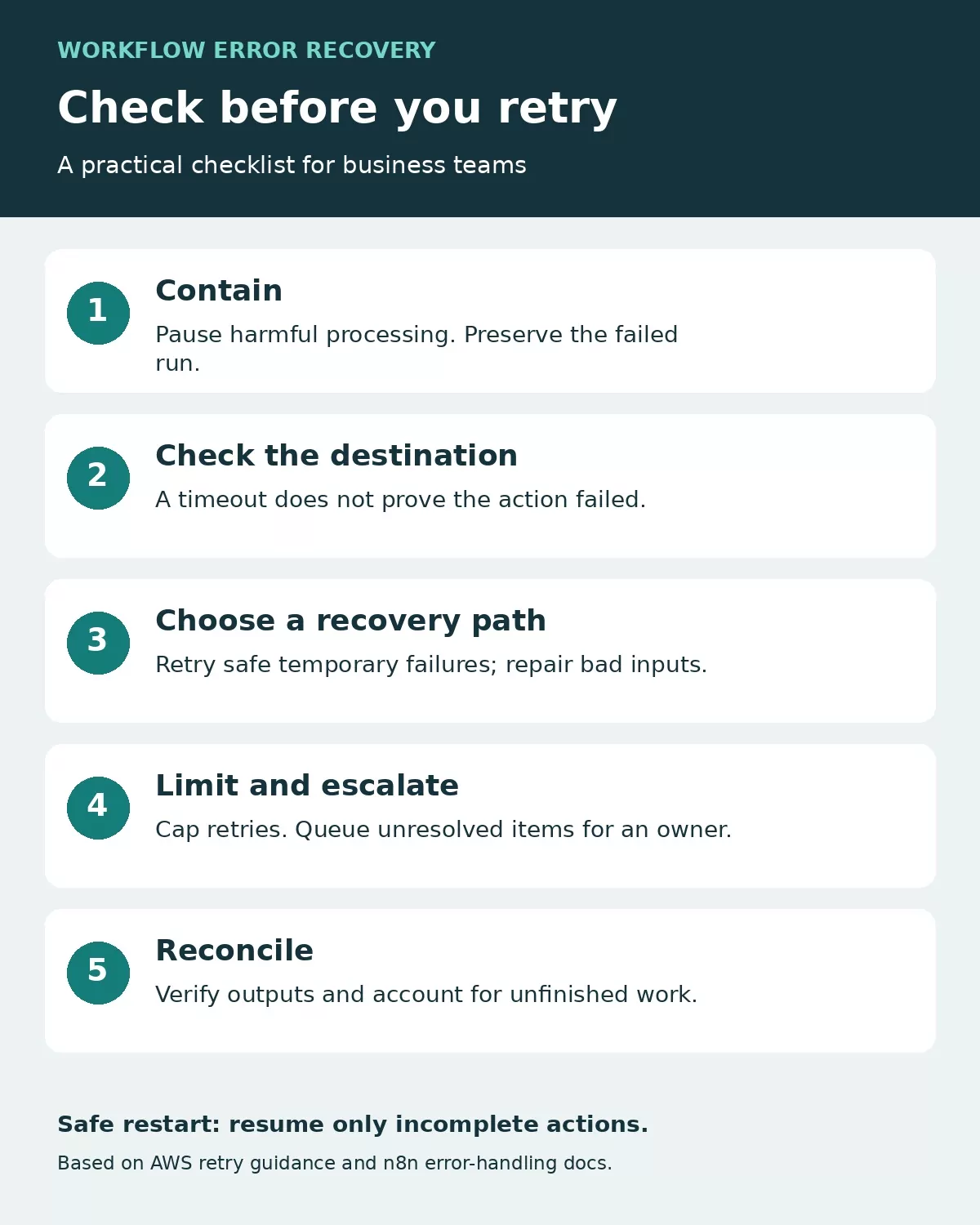
Use the checklist to contain the failure, confirm the destination state, choose a safe recovery path, limit retries, and reconcile outstanding items.
1. Contain the failure and preserve the evidence
Open the failed run and record its execution ID, time, failed step, source record ID, error message, and last confirmed successful step. Keep the original input available in a restricted location. Remove passwords, access tokens, and unnecessary personal information from alerts and incident notes.
If repeated runs are producing incorrect records or messages, pause the affected workflow or branch. Record the pause time and keep incoming work in a queue so it can be reconciled later. Avoid deleting the workflow or clearing its history as a troubleshooting shortcut.
Assign one person to own recovery. Before anyone presses replay, check whether a colleague, another scheduled run, or a built-in retry is already handling the same item.
2. Classify the error before choosing a response
Use this as an operating guide, then check the receiving service’s documentation for the actual error. A status code alone does not explain every application’s behavior.
| What you observe | What to check | Recovery decision |
|---|---|---|
| Temporary connection failure or service outage | Service status, request log, and whether the action completed remotely | Retry within a defined limit only when repetition is safe |
| Rate limit | Provider limits and any retry timing instructions | Wait, reduce concurrency, and resume gradually |
| Expired connection or denied access | Account permissions and authentication configuration | Repair access before retrying |
| Missing field or invalid input | Original record, required fields, and mapping changes | Correct or quarantine the item; repeating identical input is unlikely to help |
| Timeout after a create or send action | Destination record or message using a stable reference | Reconcile the outcome before issuing another write |
| Successful run with wrong output | Business rules, field mappings, and downstream records | Stop affected processing and repair the logic |
Separate retryable failures from items needing human repair. A single malformed customer record should not quietly disappear, but it also need not block unrelated records when your workflow can safely isolate it.
3. Make retries bounded and safe
Set a maximum attempt count and a maximum recovery window. Respect the provider’s retry instructions. For temporary failures, increasing the delay between attempts reduces repeated pressure on a struggling service; random variation in that delay helps prevent many clients retrying together. AWS explains these mechanisms in its guidance on timeouts, retries, and backoff with jitter.
Review retries across every layer: the connector, the workflow, and any scheduled replay process. Choose one place to coordinate recovery so several mechanisms do not independently repeat the same action. When the attempt limit is reached, move the item to a review queue and alert its owner.
Use a stable business reference for repeated requests
An idempotent operation produces the intended effect without creating another effect each time the same request is repeated. Where an API supports an idempotency key, follow its documented scope, retention period, and rules for reusing that key. A new key on every attempt defeats duplicate protection.
Where that feature is unavailable, store a source event ID alongside the destination record ID and reconcile uncertain outcomes. A simple search-before-create check is useful, but two simultaneous runs can both pass it. Stronger protection may require a unique database constraint or serialized processing. AWS’s discussion of safe retries with idempotent APIs explains why repeated requests need a consistent identity.
For invoice-related workflows, also examine the separate intake and matching problems covered in common invoice automation mistakes. Recovery logic cannot compensate for every upstream duplicate.
4. Keep a review queue with an accountable owner
Create a restricted queue for items that cannot safely recover automatically. Give each item a source reference, failure category, attempt count, last attempt time, owner, next action, and final resolution. Link to the restricted execution record rather than copying entire customer payloads into a shared chat.
Use distinct states such as awaiting repair, ready to retry, resolved, and intentionally excluded. Record why an item was excluded. Calling every handled error “success” hides work that never reached its destination.
An alert should tell its recipient what needs attention: which workflow failed, which business record is affected, whether processing is paused, and where to investigate. Group repeated symptoms of the same outage where possible. Keep a separate check for expected work that never triggered, because a failed-run alert cannot prove that every incoming event was received.
How this maps to n8n
n8n’s error-handling documentation describes assigning an error workflow in Workflow Settings and starting that workflow with an Error Trigger. That creates a place for notifications or a repair handoff. Its documentation also distinguishes trigger failures from later execution failures: execution IDs and URLs are not always available. Build alerts that tolerate missing fields.
This is a configuration pattern, not evidence that your particular workflow recovers correctly. Check the behavior of your installed version and test both the failure path and the notification path.
5. Recover partial work without repeating completed actions
Consider an illustrative lead-intake workflow: a form submission creates a CRM record, adds an onboarding task, and sends a welcome message. The CRM write succeeds, but task creation times out.
The recovery owner should look for the task using the original lead or event reference. If it exists, record its destination ID and continue from the next incomplete action. If it does not exist, and the destination can be checked reliably, retry task creation under the workflow’s duplicate-protection rules. If the outcome remains unknown, hold the item for investigation.
Do not restart from the form submission merely because that is the most visible button. Also check whether the welcome message was already sent before sending it again. Recovery is complete when the business record is correct, not simply when a rerun turns green.
Some completed actions cannot be reversed automatically. Define any compensating action separately, including who may approve it. Deleting a customer record or sending a correction message can introduce another problem if performed without checking downstream effects.
6. Test the recovery path before restoring normal volume
Use a test environment or harmless test records. Disable real customer notifications and other consequential actions during failure tests. For each scenario, verify the destination state as well as the workflow’s reported result.
- Submit a record with a required field missing: confirm it reaches the repair queue.
- Simulate a temporary failure: confirm retries stop at the configured limit.
- Repeat the same source event: confirm duplicate protection works.
- Simulate an uncertain write result: confirm recovery checks the destination first.
- Break the notification route: confirm there is another way to notice unresolved work.
- Restore the connection and replay a small batch: confirm completed actions are not duplicated.
Then reconcile the interruption window. Compare source items received with items completed, queued, or deliberately excluded. Investigate unexplained gaps. Resume processing gradually and watch both errors and queue age; an automation can be running while unresolved work continues to accumulate.
A short recovery record your team can reuse
Keep this record beside the workflow documentation:
- Workflow and responsible owner
- Source event and failed execution references
- Last verified completed action
- Destination checks performed
- Repair and safe restart point
- Retry limit and escalation contact
- Resolution evidence and remaining queued items
After the incident, change the rule that would have made recovery easier: input validation, a stable reference, an alert with enough context, or a documented restart point. Test that change with the same failure condition before closing the incident.