

A useful standard operating procedure (SOP) tells the right person what to do, when to do it, and what to do when something goes wrong. Start with one repeatable task, describe its boundaries, and write steps that a trained colleague can follow without guessing. Then test the instructions in a real or safe practice run before making them the approved version.
This guide shows how to write standard operating procedures for a small business, with a reusable template and two illustrative examples. Adapt the controls, deadlines and approval rules to your own operation; the examples are not statements of law or a substitute for your organization’s requirements.
What is a standard operating procedure?
An SOP is a documented set of instructions for a recurring activity. It turns an agreed way of working into a reference that employees can use for training, consistency and handoffs. A policy states a rule or expectation; an SOP explains how people carry out a process under it. A checklist can support an SOP, but a list of boxes alone may not explain decisions or exceptions.
The US Environmental Protection Agency’s SOP guidance, written for quality-related activities, recommends clear sequential steps and a level of detail appropriate to the task and its users. It also notes that organizations can use different formats. That is useful general guidance; it does not prescribe one mandatory format for every small business.
What should an SOP include?
| Section | What it answers |
|---|---|
| Title and ID | Which task does this document cover? |
| Purpose and scope | Why is the task done, and where does it start and end? |
| Owner and roles | Who maintains the document, performs the work and approves exceptions? |
| Inputs and access | Which information, tools and permissions are needed? |
| Steps and decisions | What happens in order, including checks and handoffs? |
| Exceptions and escalation | When should someone stop, and whom should they contact? |
| Records and version | What evidence is retained, where is the current version, and when was it approved? |
Use the smallest format that makes the task safe and repeatable. A short daily checklist may need fewer sections than a process involving money, sensitive information or safety controls.
How to write an SOP in seven steps
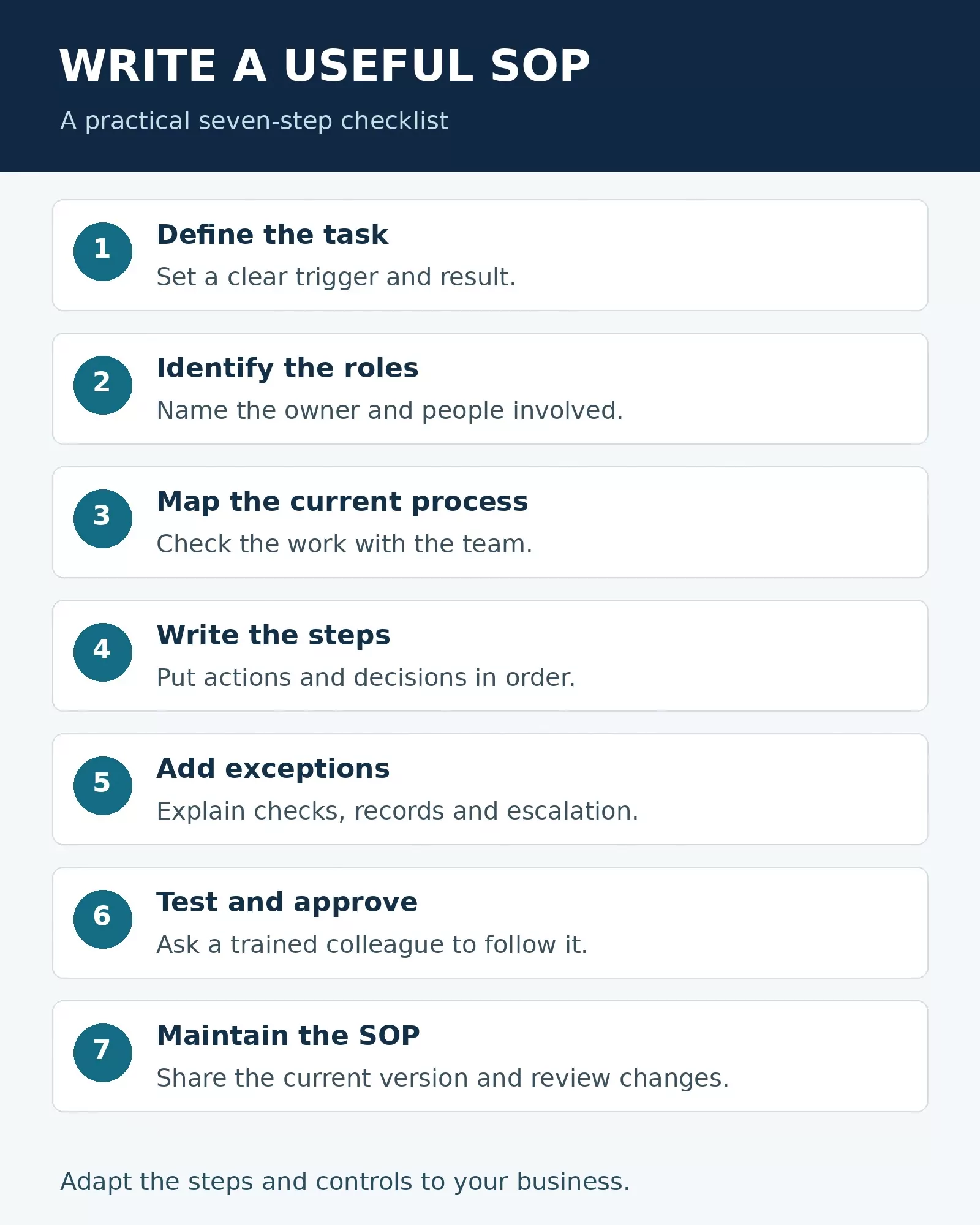
1. Choose one process and define its result
Choose a recurring task with a clear start and finish. “Handle customer service” is too broad for one useful procedure. “Acknowledge and route a new customer support request” is easier to describe and test. State the trigger, the expected result and any work outside the scope.
Example scope: “Starts when a request arrives in the shared inbox and ends when it is assigned to the correct team or closed as a duplicate.” The investigation and resolution can have their own procedure.
2. Identify the people who do and own the work
Ask the people who actually perform the task to walk through it. Record the performer, reviewer and decision-maker by role rather than relying on one employee’s name. Name a document owner who can answer questions and arrange revisions. If two roles share a responsibility, specify the handoff.
3. Capture the current process and check it
Observe the process where possible, review the forms and systems involved, and ask about the last exception. Separate what happens today from the approved process you want people to follow. Resolve disagreements with the process owner rather than presenting an assumption as an established rule.
For sensitive tasks, check existing internal controls before changing the steps. For example, an invoice procedure should not instruct the same person to bypass an existing independent approval.
4. Write actions in the order they happen
Use numbered steps, action verbs and precise conditions. Replace “process the invoice promptly” with “Check the invoice number against the invoice register before entering it.” Identify the record or system and describe the result expected at each handoff.
Put a decision at the point where it occurs: “If the invoice number already exists for this supplier, stop and ask the accounts lead to review it. Do not enter a second payment while the possible duplicate is unresolved.” Avoid passwords, personal data or temporary access codes in the SOP.
5. Add exceptions, controls and records
Describe common failure paths: missing information, a failed system, an unusual request or an absent approver. Include a safe stop and a contact role. Specify what to record and where, following the organization’s retention and access rules. A procedure should link to the current policy or form rather than duplicate a long policy that may change independently.
6. Test the draft with a user
Ask a colleague with the expected training, who did not write the procedure, to follow it in an appropriate test environment. Observe where they pause, make assumptions or cannot get access. Correct the instructions and have the process owner approve the result. For high-risk work, arrange the relevant specialist review and use a safe test method.
7. Publish, train and maintain the current version
Store the approved SOP in a known location with appropriate permissions. Record its version, owner, approval date and next review date. Tell affected staff where to find it and train them when needed. Review after a process, system, policy or responsible role changes as well as on the organization’s chosen schedule; archive obsolete versions so they are not mistaken for current instructions.
Copyable SOP template
Use the following as a starting point. Replace every bracketed item before approval.
- Title and ID: [Task name and document ID]
- Owner: [Role responsible for maintaining the SOP]
- Version, approval date and next review: [Values]
- Purpose: [Intended result]
- Scope and trigger: [Where the process begins and ends]
- Roles: [Performers, reviewers, approvers and backups]
- Inputs and access: [Required forms, systems and permissions]
- Procedure: [Numbered actions, decisions and checks]
- Exceptions: [Stop conditions and escalation contacts]
- Records: [What to save, where and under which retention policy]
- Related documents: [Current policy, forms and linked procedures]
Example 1: customer support request intake
This fictional example illustrates a low-risk administrative process; the response target and tool names should be replaced with your own team’s rules.
Purpose: Route incoming requests to the right team. Trigger: A message arrives in the shared support inbox. Roles: Support coordinator performs intake; team lead handles uncertain routing.
- Open the shared inbox and check whether the message is a new request or an existing conversation.
- For an existing conversation, add the message to the existing ticket rather than opening a duplicate.
- For a new request, create a ticket and record the customer’s contact details and a concise description. Follow the company’s rules for sensitive information.
- Classify the request using the current routing guide and assign it to the appropriate queue.
- Send the approved acknowledgment and record the assignment. If the request is urgent or the correct queue is unclear, follow the escalation guide or contact the team lead.
Completion check: The ticket has an owner or queue, a description and an acknowledgment record. The coordinator does not promise a resolution time unless the current service policy supports it.
Example 2: supplier invoice intake
This fictional example demonstrates a control point; your approval thresholds, bank controls and record retention rules may differ.
Purpose: Prepare invoices for authorized review without creating duplicate entries. Trigger: An invoice arrives through the designated accounts payable channel. Roles: Accounts payable clerk performs intake; an authorized approver decides whether to approve payment.
- Check that the invoice identifies the supplier, invoice number, amount and relevant purchase reference. If essential information is missing, request it through the approved channel.
- Search the invoice register for the same supplier and invoice number. If a possible duplicate exists, stop and refer it to the accounts payable lead.
- Match the invoice to the relevant purchase record and evidence of receipt, following the company’s matching policy. Record any discrepancy.
- Route the invoice and supporting records to the authorized approver. Do not approve your own invoice if company policy requires separate approval.
- After approval, record the status in the system. Payment release follows the separate payment authorization procedure.
If a supplier requests a bank account change, follow the company’s independent verification process using previously verified contact information. Do not rely solely on the new contact details included in the change request.
Common mistakes to avoid
- Writing for an expert without defining the decisions a new trained user must make.
- Leaving out exceptions, backup owners or the location of supporting records.
- Copying an old process without checking how the team works today.
- Publishing multiple uncontrolled copies that drift apart.
- Assuming a document replaces training, supervision or existing safety and financial controls.
Frequently asked questions
How long should an SOP be?
Long enough for its intended user to follow the task and its important exceptions, but no longer than necessary. Split a lengthy process into related procedures when that makes the instructions easier to find and maintain.
Who should approve an SOP?
The accountable process owner should arrange approval under the organization’s rules. Depending on the task, reviewers may also include finance, legal, safety, security or quality specialists.
How often should an SOP be reviewed?
Set a review interval appropriate to the process and applicable requirements. Review sooner when the workflow, software, rules or responsibilities change, or when an incident reveals a gap.
Start with one task that causes repeated questions. Give it a clear owner, write the real sequence, test it with a user and make the approved version easy to find. A useful SOP is maintained as the work changes.