

Connecting your CRM to your email marketing software eliminates manual CSV exports and ensures sales and marketing teams work from the same customer data. To link the two systems reliably, you need to audit your contact records, select a native or middleware sync method, map your core and custom fields, configure bidirectional opt-out rules, and validate the connection with a small test batch before turning on continuous synchronization.
When a customer relationship management platform and an email service provider operate in isolation, sales reps often miss marketing engagement signals while marketing teams risk emailing closed deals or unsubscribed contacts. Establishing a structured integration turns static contact lists into dynamic segments triggered by real pipeline activity, purchase history, and support status.
Choosing the Right Integration Architecture
Before configuring API keys or OAuth permissions, determine how data should move between your systems. Most small and mid-sized businesses rely on one of three connection methods, each carrying distinct maintenance requirements and data limits.
| Connection Method | Best Operational Fit | Key Trade-Offs |
|---|---|---|
| Native Built-In Integration | Standard contact syncing between widely used platforms (such as HubSpot and Mailchimp) | Fast setup with no extra subscription cost, though often restricted to basic fields or one-way syncing |
| Third-Party iPaaS / Middleware | Multi-step workflows across tools that lack direct connectors (such as Zapier or Make) | Flexible conditional logic and triggers, but costs scale with task volume and require ongoing error monitoring |
| Custom Webhook or API | High-volume operations requiring real-time custom object syncing | Full control over rate limits and schema, requiring developer resources to build and maintain |
Pay close attention to sync direction. A one-way sync pushes new leads from your CRM into your email tool but will not write subscriber profile updates back to the CRM. A two-way sync keeps both databases aligned, though you must define which system acts as the source of truth when conflicting edits occur simultaneously.
Step-by-Step Process to Connect Your CRM to Email Marketing
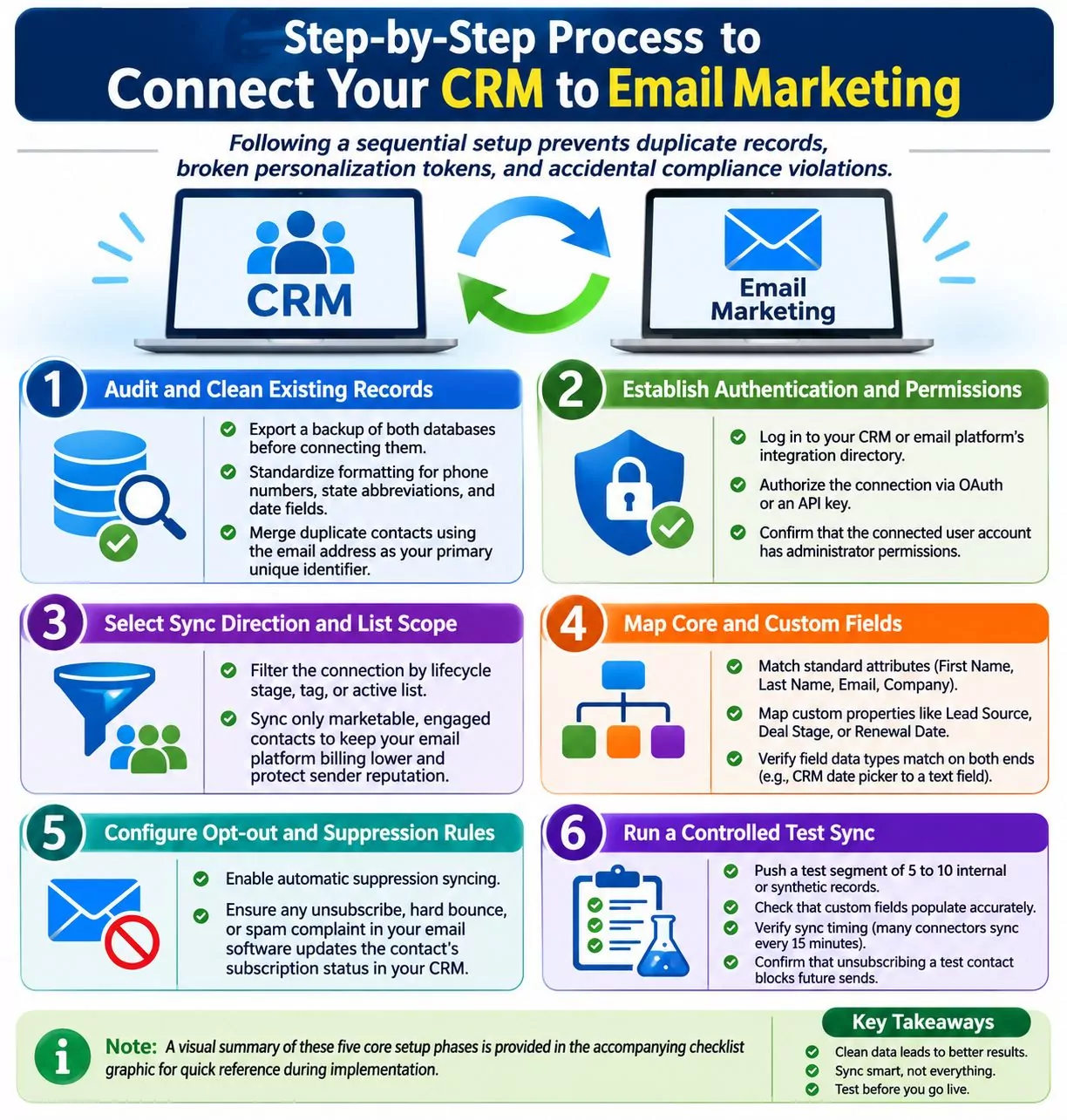
Following a sequential setup prevents duplicate records, broken personalization tokens, and accidental compliance violations.
- Audit and clean existing records: Export a backup of both databases before connecting them. Standardize formatting for phone numbers, state abbreviations, and date fields, and merge duplicate contacts using the email address as your primary unique identifier.
- Establish authentication and permissions: Log in to your CRM or email platform’s integration directory and authorize the connection via OAuth or an API key. Confirm that the connected user account holds administrator permissions so field-level read and write scopes are not blocked.
- Select sync direction and list scope: Rather than syncing every historical contact, filter the connection by lifecycle stage, tag, or active list. Syncing only marketable, engaged contacts keeps your email platform billing tier lower and protects sender reputation.
- Map core and custom fields: Match standard attributes (First Name, Last Name, Email, Company) alongside custom properties like Lead Source, Deal Stage, or Renewal Date. Verify that field data types match on both ends—for instance, mapping a CRM date picker to a text field in your email tool will break date-based automation triggers.
- Configure opt-out and suppression rules: Enable automatic suppression syncing so that any unsubscribe, hard bounce, or spam complaint in your email software immediately updates the contact’s subscription status in your CRM.
- Run a controlled test sync: Push a test segment of 5 to 10 internal or synthetic records through the integration. Check that custom fields populate accurately, verify how long polling intervals take (many native connectors sync every 15 minutes rather than instantaneously), and confirm that unsubscribing a test contact blocks future sends.
Note: A visual summary of these five core setup phases is provided in the accompanying checklist graphic for quick reference during implementation.
Compliance and Deliverability Safeguards
Syncing contact lists across platforms introduces legal and deliverability risks if suppression lists fail to transfer properly. Under the Federal Trade Commission CAN-SPAM Act compliance guide, businesses sending commercial email in the United States must honor opt-out requests within 10 business days, include a valid physical postal address, and never transfer or sell opted-out email addresses to another mailing list.
If your CRM captures leads from offline trade shows, manual sales entry, or billing software, separate transactional contacts from marketing subscribers. Transactional records—such as customers receiving invoices or shipping updates—do not automatically qualify for promotional newsletters unless your intake workflow records clear consent or aligns with applicable regional privacy laws.
Common Integration Pitfalls and How to Avoid Them
Even well-configured integrations can degrade over time as teams add custom CRM properties or modify email forms. Watch for three recurring failure points:
- Required merge tag conflicts: If your email platform requires a specific field (such as a custom territory code) to create a subscriber, and your CRM connector only passes name and email, the sync will silently reject new contacts. Remove mandatory field requirements on the receiving list or map a default fallback value.
- Overwrite loops in two-way syncs: When two platforms update the same record simultaneously, poorly configured rules can overwrite verified sales notes with blank form submissions. Set field-level rules so blank values never overwrite populated data.
- Unmonitored API expiration: OAuth tokens and API keys expire when staff members change passwords or leave the company. Assign integrations to a shared operations service account rather than an individual employee’s login, and review integration sync error logs monthly.
Frequently Asked Questions (FAQs) About CRM and Email Integration
Should I sync my entire CRM database to my email marketing platform?
No. Syncing unengaged leads, vendors, or inactive contacts inflates your email platform subscriber costs and lowers open rates, which harms inbox placement. Use a filtered CRM list or lifecycle stage rule to sync only active prospects and customers eligible for marketing communications.
What is the difference between one-way and two-way data syncing?
A one-way sync sends data from one platform to another—such as pushing new CRM leads into an email list—without sending changes back. A two-way sync updates records in both systems whenever changes occur, ensuring sales reps see email engagement metrics and marketers see updated deal stages.
How often does data sync between a CRM and email software?
Sync frequency depends on the connector type. Webhook-based integrations and select middleware triggers update within seconds, whereas standard native integrations commonly run on scheduled polling intervals ranging from 15 minutes to one hour.