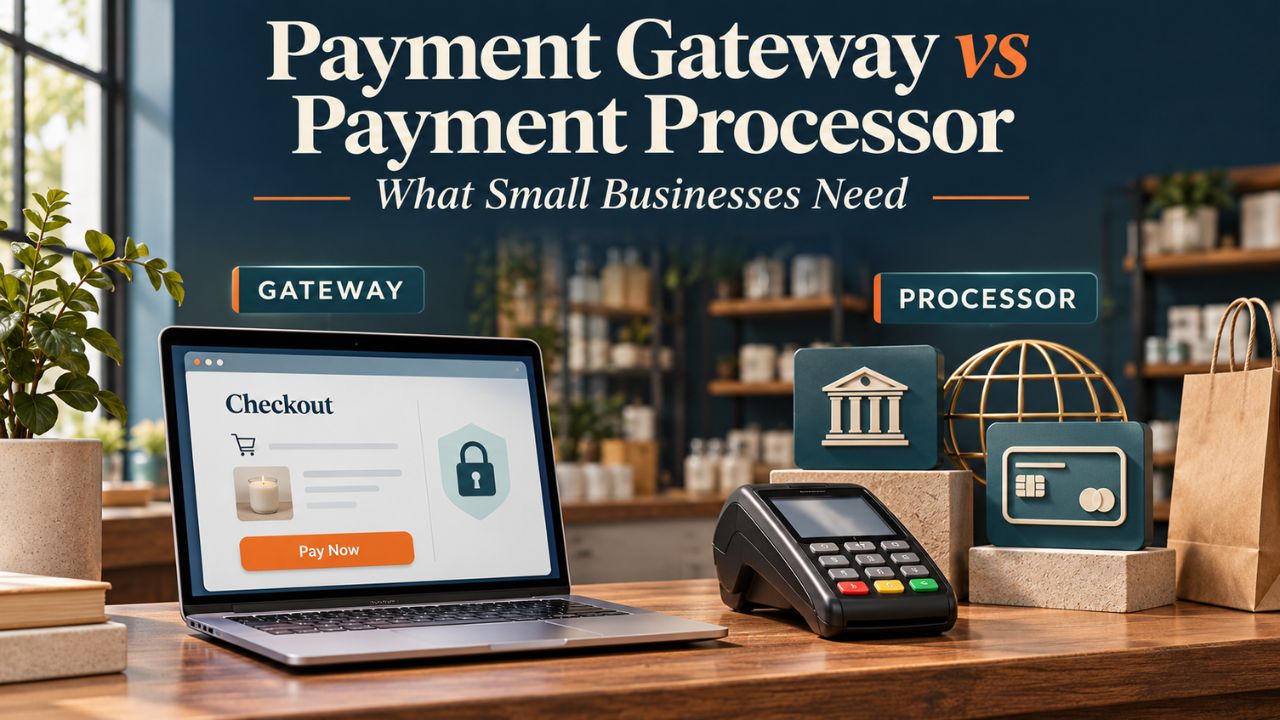
A payment gateway securely passes payment information from a checkout to the systems that process it. A payment processor handles transaction messages through the card-payment system and helps complete settlement. For a small business, these are usually complementary functions, and one provider may supply both.
The practical question in payment gateway vs payment processor comparisons is whether the business needs a complete payment service or a gateway that works with an existing processing agreement. Buying a gateway alone will not fill a missing processing relationship.
Which payment setup does your business need?
Start with what is already in place: the website or point-of-sale system, the processing contract, and the account that receives payouts. Then identify the missing capability.
| Business situation | Setup to evaluate | What to confirm before signing |
|---|---|---|
| New online store with no payment provider | A bundled service covering checkout, gateway and processing | Compatibility with the store platform, business eligibility and total fees |
| Business keeping an existing merchant account and processor | A compatible standalone gateway | The exact processor connection and support for required payment methods |
| Shop accepting payments at a counter | A POS and processing package | Supported hardware, software and whether a separate gateway contract is necessary |
| Business selling online and in person | An arrangement supporting both channels | Whether refunds, customer records and reports work across channels |
This is a purchasing framework, not a ranking of providers. A new store may value fewer integrations; an established merchant may have a reason to retain an existing agreement. Neither arrangement is automatically cheaper.
What the gateway and processor actually do
The gateway is the connection between the checkout and payment-processing infrastructure. It transmits the request and returns the result. Depending on the product, it may also offer a hosted payment form, saved-payment features or fraud controls.
The processor handles the transaction-processing side, communicating through the relevant network and banking relationships. In a typical card authorization, the issuing bank—the customer’s card provider—approves or declines the request. Calling the processor the company that “approves every payment” leaves out that issuer decision.
Stripe’s explanation of gateways and processors describes the two functions and how they can be combined in one service. Product names are not reliable boundaries: a business marketed as a gateway may sell a broader package.
A merchant account is another part of the arrangement. It supports card acceptance and is distinct from the ordinary business bank account that ultimately receives payouts. Some services arrange this infrastructure as part of onboarding; businesses should establish what their particular contract includes.
An approved card payment is not a bank deposit
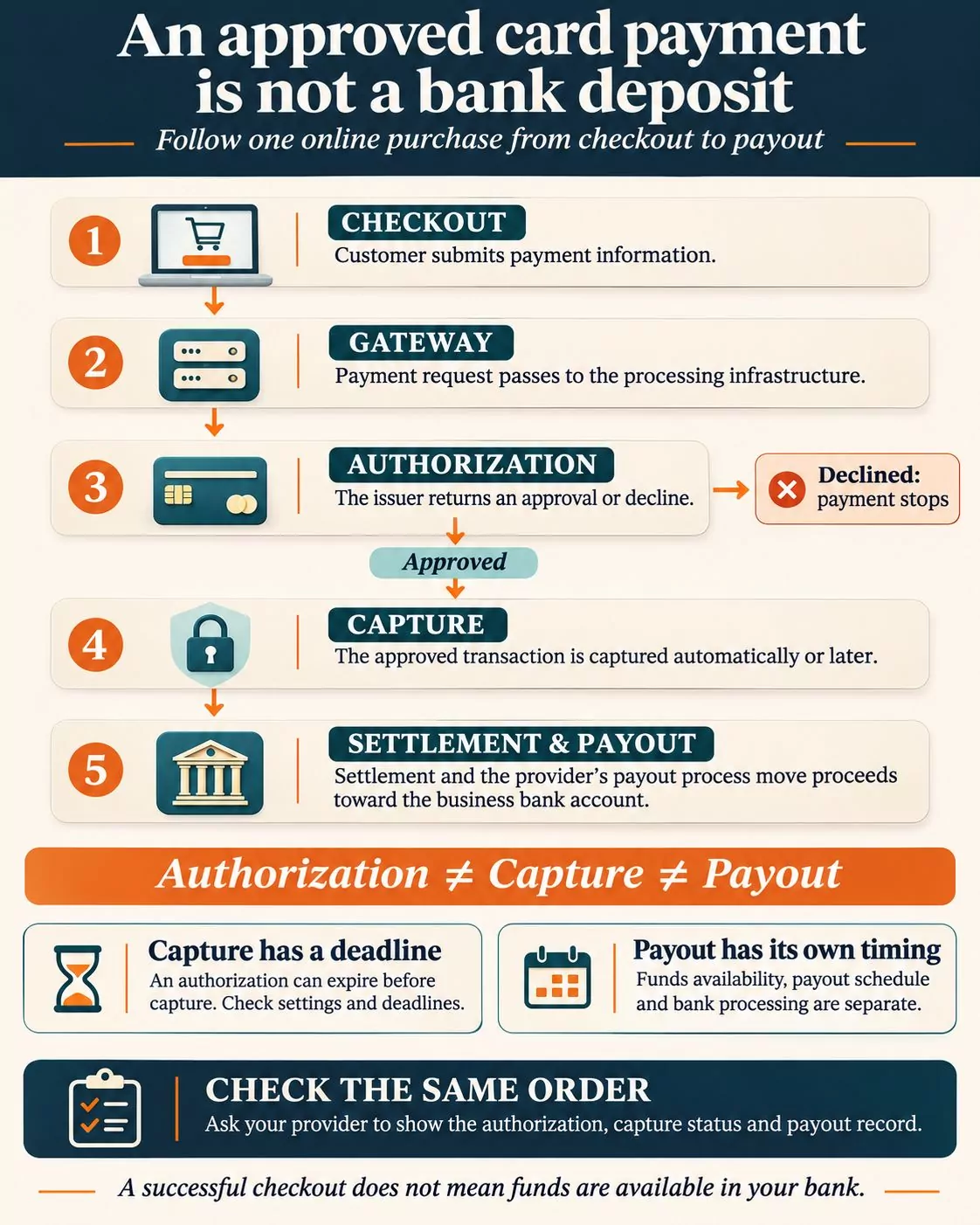
Following a single online card purchase makes the distinction easier to use:
- The customer submits payment information through the checkout.
- The gateway passes the payment request to the processing infrastructure.
- The request travels through the card-payment system to the issuer, which returns an approval or decline.
- An approved transaction is captured, either automatically or later under the merchant’s configuration.
- Settlement and the provider’s payout process move the proceeds toward the business bank account.
Authorization, capture and payout are separate events. Stripe’s capture documentation explains that an authorization can expire if the funds are not captured within the applicable window. Businesses that charge after shipping should confirm their capture settings and deadlines.
Payout timing is a separate contract question. Stripe’s payout documentation, for example, distinguishes when funds become available from the payout schedule and the receiving bank’s processing time. A successful checkout message does not establish that money is available to spend in the merchant’s bank account.
Ask the prospective provider to demonstrate where staff can see the authorization, capture status and payout record for the same order. That makes the explanation useful when a customer says they paid but the deposit has not appeared.
Compare the complete bill, not the gateway price alone
A gateway-only price and a bundled processing price cover different things. Authorize.net’s published plan descriptions, checked November 9, 2026, distinguish an All-in-one offering that includes a merchant account from a Gateway only offering intended for businesses with an existing arrangement. That distinction matters before comparing any advertised rate.
Request an itemized quote covering the following, with each charge marked included, additional or not applicable:
- Gateway subscription and transaction charges
- Processing charges and any account minimums
- Store-platform or POS subscription costs
- Hardware purchase, rental or replacement terms
- Refund, dispute, cross-border and currency-conversion charges
- Optional fraud, recurring-billing and reporting tools
- Setup, migration and cancellation costs
These are questions to resolve, not fees that every provider charges. Ask what event triggers each transaction fee: a payment attempt, an approved authorization or a completed sale. Ask separately whether original fees are returned after a refund.
Use the same recent month of sales to compare quotes, including order sizes, payment channels and refund activity. For more detail on separating monthly charges from transaction costs, see the guide to payment gateway fees for small online stores.
Security responsibilities remain with the business
A hosted checkout can reduce how much sensitive payment data passes through the business’s own systems. Stripe’s integration security guide describes integrations that send payment information directly to Stripe rather than through the merchant’s servers. The implementation matters; simply choosing a familiar provider does not establish the merchant’s compliance status.
The PCI Security Standards Council’s outsourcing guidance says merchants retain responsibilities even when a third party handles all payment processing. These include checking the provider’s relevant compliance status, maintaining written responsibility agreements, monitoring that status at least annually and understanding shared duties.
Ask the acquirer or other organization managing the business’s compliance program which validation requirements apply to the actual checkout setup. Do not assume that every hosted checkout qualifies for the same questionnaire.
Resolve support and switching before committing
Request a written support map for three problems: the checkout will not submit a payment, a completed sale is missing from a payout, and a customer needs a refund. Identify the first contact and how that contact escalates an issue to another provider. A shared brand name does not answer these operational questions.
For repeat customers, ask who holds saved payment information and how it can be migrated. Stripe’s migration documentation describes coordination with the previous processor, transferring supported payment data and remapping records. Treat a move as a planned project; do not assume copying customer names also transfers reusable payment credentials or subscriptions.
A business already managing several providers may also evaluate payment orchestration. That is an additional coordination question, not a prerequisite for choosing a first payment service.
Before signing, ask for a demonstration using the intended store platform: a successful test payment, a decline, a refund and a report connecting an order to its payout. Confirm which team owns each step. The right setup is the one that covers the business’s actual sales channels, has an understandable total cost and gives staff a workable route to resolve payment problems.