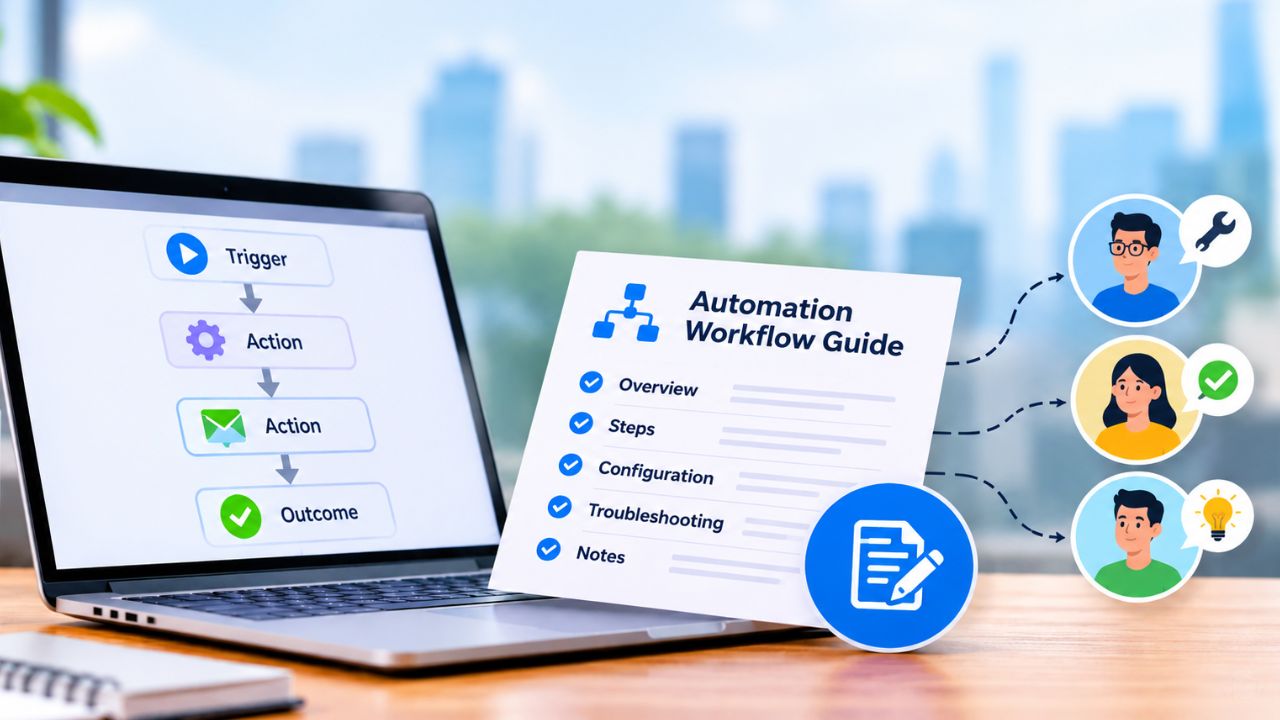

Accounting software for small business should fit the way you invoice, reconcile bank activity, work with an accountant and prepare financial reports. Start by mapping those tasks and the people responsible for them; then compare the plans that support your actual workload.
This research-based buying guide begins with a practical selection framework. It does not claim hands-on use or rank products based on tests. Product availability, plan limits and prices need to be checked against current US provider documentation before a shortlist is finalized.
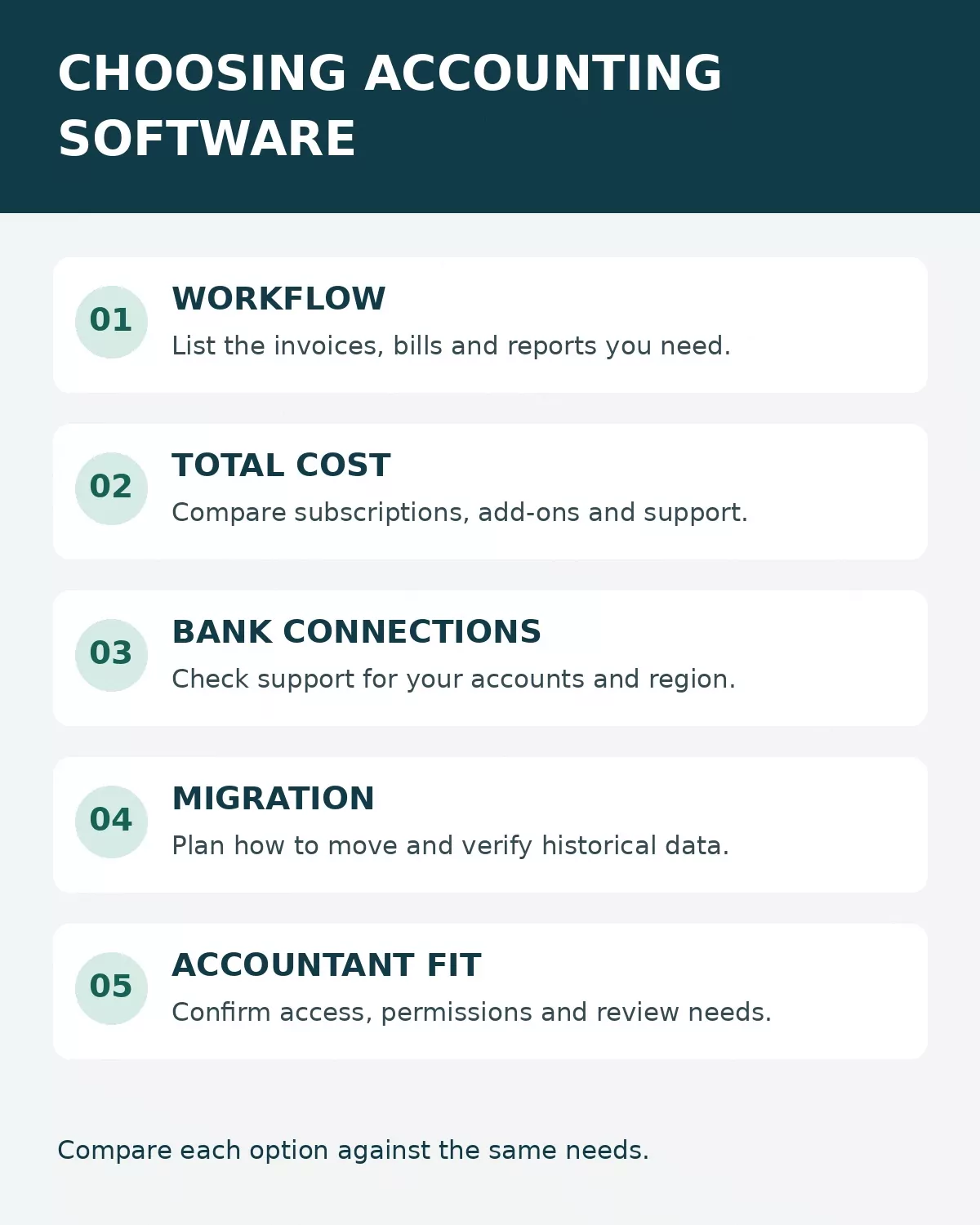
Review workflow, total cost, bank connections, migration and accountant access together before choosing a plan.
Start with your accounting workflow
List how many invoices, bank accounts and team members you need to support. Identify whether you sell inventory, need project costs, accept multiple currencies or require a bookkeeper to review entries. Separate required functions from useful additions so the lowest advertised price does not obscure a missing workflow.
For an existing business, check what history can be imported, what must be reconciled before the change and how you can export records if you leave. Ask your accountant which reports and access permissions are necessary. Preserve your existing records and test a migration using a safe copy before changing production workflows.
Compare total cost and practical limits
Compare the same billing period across products. Add the subscription, additional users, payment-processing charges and any necessary payroll, receipt capture or inventory add-ons. Introductory discounts can expire; compare the stated regular rate and conditions as well as any promotion.
Review bank connection support, transaction matching, audit history, roles and permissions. Automation suggests or applies rules based on configuration; review exceptions and reconcile records rather than assuming all entries are correct.
Test with an example before committing
Use a fictional invoice, sample expense and bank transaction in a permitted trial or demonstration. Trace how each becomes an entry and a report, and check how corrections are recorded. Ask the provider and your accountant how your own situation, data access and migration requirements will be handled.
A useful choice is the plan that supports the tasks you actually perform, has an acceptable total cost and leaves a clear record for review. Do not rely on a feature name alone: verify the specific plan, region, integration and limits before purchase.
Seven accounting platforms to put on your shortlist
The following options address different jobs, from sending a few invoices to coordinating inventory and a bookkeeper. This is a comparison of publicly available US product information, not a ranking based on hands-on tests. The examples are starting points: check the current plan, supported bank, taxes, integrations and contract terms for your business before deciding.
| Platform | A useful starting point for | Check before choosing |
|---|---|---|
| QuickBooks Online | A business that wants accounting, invoicing and room to add workflows | The plan needed for inventory, bill management and user access |
| Xero | A team that wants shared access to cloud accounting | Transaction limits, add-ons and the plan for projects or multiple currencies |
| Wave | A very small business looking for a free basic starting point | Whether bank imports and receipt scanning require Pro, plus payment fees |
| Zoho Books | A small company that wants invoicing, accounting and a route to more controls | Free-plan limits and the tier required for bank feeds or inventory |
| FreshBooks | A service business that works from client invoices and projects | Client limits and the plan required for double-entry and accounts payable |
| Sage 50 | A business considering desktop accounting with inventory and job management | Computer requirements, subscription commitment and remote collaboration |
| Patriot Accounting | A US business comparing straightforward bookkeeping and payroll options | Bank connection limits and which invoice features need Premium |
1. QuickBooks Online
QuickBooks Online is a cloud accounting option for a business that wants to bring invoices, expenses, bank activity and financial reporting into one system. A retailer, for example, could compare the cost of a plan that handles its accounting with one that adds inventory tracking, rather than buying on the basis of bookkeeping alone. Its range of plans gives a growing team more than one route, but that also makes plan selection consequential.
Intuit’s plan comparison places features such as inventory management in higher tiers. List the tasks each employee needs to perform, then ask your accountant which subscription and permissions will support them. Payroll and payment services can add costs. It may be more system than a one-person operation needs if simple invoices and manual records are sufficient.
2. Xero
Xero is worth comparing when an owner and accountant need to work in the same cloud accounting environment. Its US plans describe invoicing, bill handling, bank reconciliation and financial reports, while advanced features vary by tier. It can be a practical shortlist candidate for a team that wants several people involved without treating every collaborator as a separate purchasing decision.
Check the monthly invoice and bill limits on the specific entry plan and the tools needed for your work. Xero’s US plan comparison places multi-currency and project time-and-cost tracking on its Established plan. A team that needs those features should price that plan rather than assuming the least expensive option will be enough. Add-on fees and bank availability also deserve a separate check.
3. Wave
Wave’s free Starter plan offers a way to begin with basic invoicing and bookkeeping. For a solo service provider issuing a modest number of invoices, the absence of a required starting subscription can be useful while the business establishes its recordkeeping routine. It remains important to review the actual transactions and keep supporting documents.
The trade-off is that the features that reduce manual work are not all free. Wave says its paid Pro plan includes automatic bank transaction imports, receipt scanning and automatic transaction merging and categorization. Payment processing and payroll are separate considerations. Before choosing Starter, estimate the time spent entering and reviewing transactions by hand, then compare that effort with Pro’s current price.
4. Zoho Books
Zoho Books offers a free US plan and paid tiers, making it a candidate for a small business that wants to start with invoicing and accounting but may eventually need purchase, project or inventory controls. A business already using other Zoho products may also want to check whether its existing workflows connect in the way it expects; integration availability and cost should be confirmed for the actual combination.
According to Zoho’s US plan comparison, the free tier includes one user plus an accountant, while bank feeds are listed on Standard and inventory tracking on Professional. The distinction between reconciling records and automatically connecting a bank feed matters here. Check eligibility, invoice and automation limits, user needs and the cost of the first plan that supports your real workload.
5. FreshBooks
FreshBooks is a sensible option to examine when the work starts with clients, estimates, invoices and billable activity. A consultant who sends recurring invoices can assess how the client and project workflow connects to expense records and reports. The decision is less about whether the interface looks attractive in a demo than whether an invoice can be corrected, paid and reconciled cleanly.
FreshBooks says double-entry accounting features are available on Plus, Premium and Select, while accounts payable is available on Premium and Select. If entering supplier bills or giving an accountant access to particular reports matters, compare those tiers instead of assuming the entry plan includes them. Also check billable-client limits, additional team-member charges and payment-processing costs.
6. Sage 50
Sage 50’s US desktop product is a different kind of choice from a browser-first tool: it is cloud-connected desktop accounting. Sage lists invoice and bill tracking, inventory and job management among its features. A business with established desktop procedures, physical stock or job-based work might include it when comparing how much control and accounting detail it needs.
The practical question is how your team will actually access and maintain it. Confirm supported computers, installation, backups, accountant access and any remote-working arrangement before committing. Sage’s listed desktop subscriptions have an annual commitment and auto-renewal terms; check the current edition, number of users and renewal price. A business that needs only basic browser access may prefer a simpler option.
7. Patriot Accounting
Patriot Accounting is a US-oriented option for owners comparing bookkeeping alongside a separate payroll product. Its accounting materials describe income and expense tracking, a chart of accounts and bank reconciliation. For a small employer, it is worth mapping the bookkeeping and payroll handoff to see what the two products cover together and what they cost separately.
Patriot documents bank connections on both its Basic and Premium accounting plans, subject to institution availability and plan limits. Its published comparison lists recurring invoices, payment reminders and user-based permissions among Premium features. If those controls matter, obtain the Premium price and test the relevant bank connection rather than choosing Basic on price alone.
Compare a real workflow, not just feature lists
Use the same fictional scenario for every finalist. Imagine a three-person service firm that sends 30 invoices a month, has a business checking account and a credit card, and gives an outside bookkeeper monthly access. It also has six recurring supplier bills. These numbers illustrate a comparison; they are not results from a product test.
- Create a sample customer invoice and record a partial payment. Check how the unpaid balance appears and how a correction is documented.
- Enter a sample supplier bill and attach a receipt if the plan supports it. Check who can view, change and approve it.
- Import or connect a test transaction if the provider permits it. Match the payment, inspect duplicate handling and reconcile against a sample statement.
- Invite the bookkeeper with the intended permissions. Run the reports they need and note any extra seat or plan cost.
- Export sample transactions and attachments where supported. Ask how historical records, audit information and documents can be retrieved if you leave.
Record the plan name and answers in a small decision sheet. Mark each requirement as included, available for an extra charge, unavailable or still unconfirmed. Ask the provider to show a workflow rather than relying on a yes-or-no answer to “Do you support this?”
Work out the first-year cost
For each candidate, add the actual subscription over 12 months, any required add-ons and users, setup or migration assistance, and transaction charges that apply to your expected volume. Show introductory discounts and the regular renewal price separately. A fictional plan costing $30 a month plus a $10 monthly add-on totals $480 for 12 months before payment fees, taxes and implementation costs; a temporary discount would change the first-year figure without necessarily changing the next year.
Ask how annual billing, cancellation and price changes work. Compare the cost of your accountant’s time and staff training too. They may be estimates, but putting them beside the subscription helps prevent a cheap-looking plan from becoming expensive through manual work.
Keep records and permissions under your control
Accounting software organizes records; it does not remove the need to keep evidence. The IRS explains the role of business records and supporting documents, including invoices, receipts and deposit information. Retention requirements depend on the record and circumstances, so ask a qualified adviser about your situation rather than applying a single assumed deadline.
Give each person only the access needed for their job, use multifactor authentication where supported and review access when responsibilities change. Reconcile bank activity regularly, investigate unfamiliar transactions and establish who can approve changes. The US Small Business Administration’s financial management guidance provides a useful introduction to bookkeeping and financial statements.
If you are setting up the underlying accounts, read our guide to opening a business bank account. For the sales side of your workflow, see how to write an invoice. And before enabling automatic rules, review these invoice automation mistakes that can lead to duplicate payments.
How to make the final choice
Choose accounting software for small business by comparing the work that must happen every week, the reports your accountant requires and the full cost of the appropriate plan. Narrow the field to two or three realistic options, run the same sample workflow in each permitted demo and verify the results with the people who will maintain the books. The best fit is the one your team can operate accurately, afford at renewal and leave without losing access to essential records.