

Business bank account access should reflect what each person actually needs to do: view balances, prepare payments, approve them or sign on behalf of the business. Start with the bank’s current authorization records, then compare them with the permissions inside online banking and connected accounting tools.
A job title alone does not establish bank authority. The account agreement, bank mandate, entity documents and configured permissions determine what an individual can do in a particular account.
Owners, signatories and online users have different roles
An owner has an interest in the business; an authorized signer has authority recognized by the bank under its documentation. The same person can be both, but neither status should be assumed from the other without checking. An online user may be able to view records or initiate transactions without being authorized to sign checks. Ask the bank to explain which roles and controls it supports.
Outside accountants and bookkeepers may need statements and transaction details without authority to move money. Give them the narrowest role available and review the actual permission settings together. A shared password makes it difficult to identify who performed an action; use individual access where the bank offers it.
Separate payment preparation and approval
For a small team, one person might enter an invoice and prepare a payment while another verifies the recipient and releases it. Record who can add payees, change bank details, approve payments and raise limits. Confirm whether the bank actually enforces dual approval for each payment type; a team policy and a bank-enforced control are not necessarily the same.
When a supplier requests new payment details, verify the request using a previously trusted contact method. A realistic example is an accounts clerk who flags the change and an independent colleague who calls a verified number before the next payment. This is a proposed control, not a claim that a specific bank guarantees fraud prevention.
Review access in connected systems
List accounting software, payroll platforms, card services and other integrations that connect to the account. Record who administers each connection, what data it receives and whether it can initiate payments. Revoke access that is no longer needed and confirm that disconnecting an integration does not interrupt required records or scheduled transactions.
When an employee leaves or changes role
- Identify all online users, signers, debit cards and integrations associated with the person.
- Follow the bank’s process to remove or amend signer authority; disabling an online login may not change the underlying mandate.
- Remove or adjust digital permissions, cards and approval routes, including backup approvers.
- Review recent activity and pending payments under your organization’s controls.
- Document the changes and verify them with the bank and relevant system administrators.
A simple access register
Keep the account identifier masked, the person’s name and role, permitted actions, approval limit, authorization date, reviewer and last review date. Store the register securely; never put passwords or one-time codes in it. Review access after staffing changes and periodically according to the business’s risk and the bank’s requirements.
The Consumer Financial Protection Bureau’s discussion of financial data sharing offers useful general questions about third-party access; its consumer context may not reflect the terms of a business account. For account setup, see how to open a business bank account.
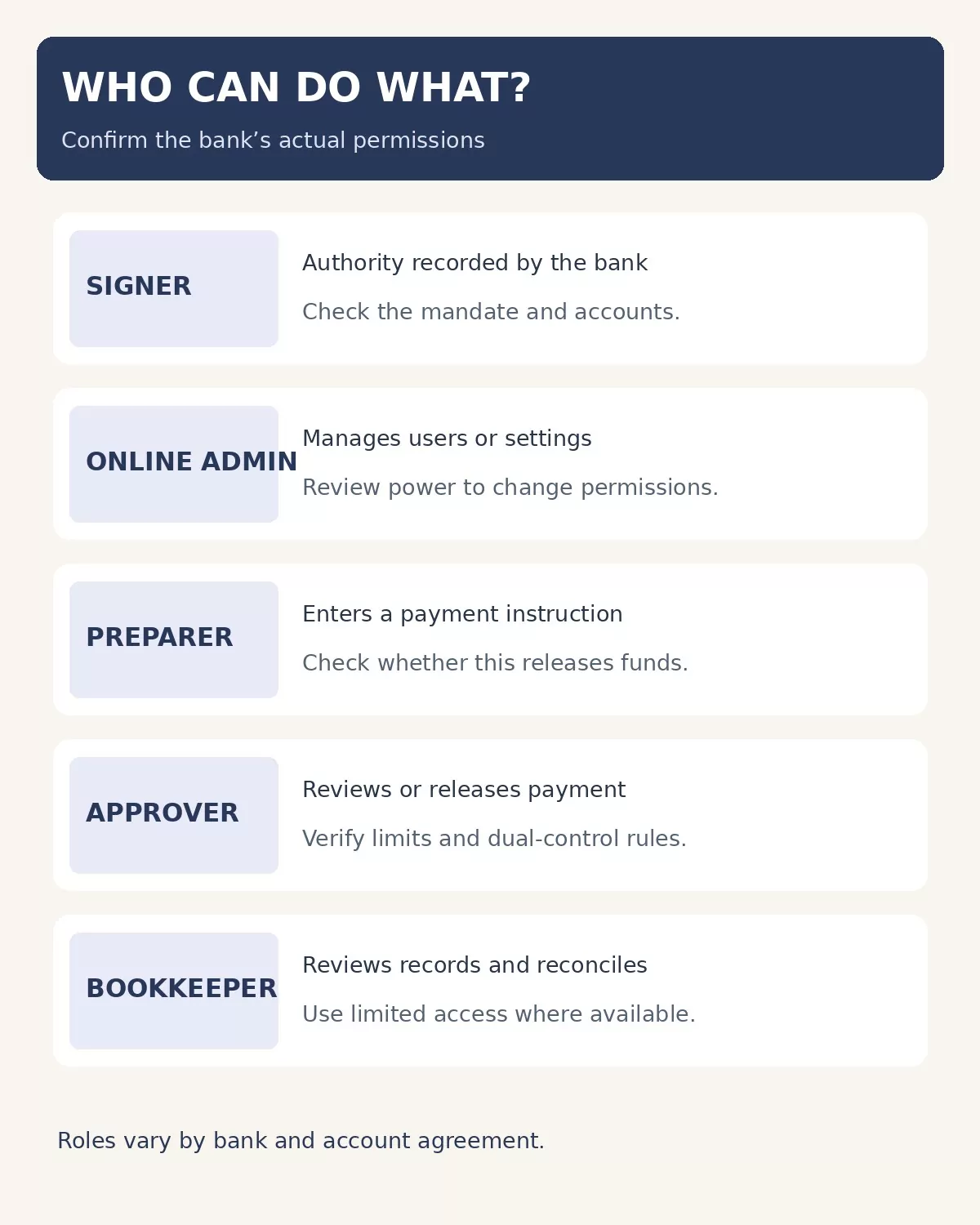
Business bank account access: compare the main roles
| Role | Potential responsibility | What to verify |
|---|---|---|
| Owner or governing officer | Authorizes account arrangements under entity rules. | What the entity documents and bank mandate actually permit. |
| Authorized signer | Acts within authority the bank recognizes. | Accounts, transaction types and signature requirements. |
| Online administrator | May manage users or permissions. | Whether the administrator can change limits or add approvers. |
| Payment preparer | May enter invoices or initiate payment instructions. | Whether preparation alone can release a payment. |
| Approver | Reviews or releases permitted transactions. | Approval thresholds, coverage and payment-type exceptions. |
| Accountant or bookkeeper | May review records and reconcile transactions. | Whether access is view-only or includes payment authority. |
These are illustrative roles, not a standard set of bank entitlements. Your bank may use different names or combine permissions. Ask for the account mandate and the current online entitlement report; compare them with the company’s internal delegation of authority.
Build an approval matrix for real transactions
Map each payment type separately: ACH transfers, wires, bill payments, checks, card spending and internal transfers may follow different workflows. For each, identify the person who creates a payee, prepares the payment, approves it and can change the approval settings. Record any dollar threshold and backup approver. A second person’s review is useful only if the system or a reliable process actually requires it for the transaction concerned.
For example, a fictional company could have its bookkeeper prepare a supplier payment, while an owner checks the invoice and recipient details and approves release. If the same online administrator can add a new payee and change the approval rule, the company should explicitly review that administrative power rather than assuming the payment approval alone covers it. Confirm the exact controls with the bank before relying on them.
Keep signer authority and digital permissions in sync
At least when roles change, compare the bank’s signer list with its online users, the entity’s authorized officers and the payment approval matrix. Someone removed from the company’s payroll may still appear on a bank signature card, and someone without check-signing authority may still have an online entitlement. Banks differ, so request written confirmation of the changes and retain it with the access register.
Review dormant accounts, former officers, shared inboxes receiving alerts and backup administrators. Do not remove the only authorized approver before a replacement is in place; coordinate the transition with the bank so legitimate payments do not stop. The FDIC’s authentication guidance discusses risk-based access and multifactor authentication for financial institutions. It does not establish the features available on any particular business account.
A sample access matrix for a small team
Start with actual tasks rather than titles. In this hypothetical setup, the owner is an authorized signer and payment approver; a bookkeeper can view statements and prepare payments; a second officer approves eligible transfers; and an administrator manages user access. Whether a bank offers these separate roles, and which transactions they cover, depends on its account and online banking service.
| Task | Proposed responsibility | Control to confirm |
|---|---|---|
| View statements | Bookkeeper and owner | Access limited to necessary accounts. |
| Create or change a payee | Assigned preparer | Independent verification of new bank details. |
| Prepare a payment | Bookkeeper | Preparation alone does not release funds, if the bank supports that setting. |
| Approve a payment | Owner or designated officer | Required approvals and limits for each payment type. |
| Change users or limits | Designated administrator | Alerts and independent review of changes where available. |
This example is a starting point, not a standard policy. In a two-person business the owner may need to perform several duties, but the team can still document who reviews changes and arrange periodic outside review. Check whether a backup approver can act during an absence and whether emergency procedures preserve an audit trail.
Choose controls by payment risk
Different payment routes have different settings. Ask the bank whether dual approval applies to wires, ACH, bill pay and internal transfers separately, and whether a user who can change approval settings could bypass the intended separation. Test the workflow with the bank or in a safe training environment when available; do not send a real payment solely to demonstrate a control without authorization.
Ask about transaction alerts, limits, payee-change notifications, audit logs and protections for issued checks or ACH debits. Their availability, fees and settings vary. The FDIC’s authentication guidance describes examples such as dual control, transaction alerts and positive pay, but it does not mean that every bank offers every feature. Decide who receives alerts and who investigates them; an alert that no one monitors does not close the control gap.
Review third-party access and recovery
For every accounting, payroll or payment connection, identify the vendor, the business owner of the connection, the linked accounts and whether the access is for viewing data or initiating transactions. Find out how the connection is authorized, how to revoke it, and what happens to scheduled payments and historical records if it is disconnected. Record the result without storing passwords, recovery codes or full account numbers in the register.
Also document how the company will respond to a lost device, suspected compromised login or unexpected payment: contact the bank through a verified channel, follow its instructions, preserve relevant records and notify the appropriate internal decision-maker. Confirm the account agreement’s notice requirements ahead of time and ask about procedures for each payment type. Do not assume a consumer dispute process or deadline applies to a business account.
Questions to ask your bank
- Which people can sign, view statements, initiate payments, approve payments and administer other users?
- Do approval requirements apply to every payment type, and can an administrator alter them?
- How are new payees and changed recipient details verified?
- How are individual access, cards and signer authority removed, and how will the bank confirm each change?
- What alerts, transaction limits, audit records and recovery procedures are available?
- Which agreement and notification deadlines apply if an unauthorized transaction occurs?
Retain the bank’s answers alongside your own approved procedures. Business structures, bank agreements and applicable law differ; involve qualified legal or financial advisers when authority is disputed or the consequences are material.
Business bank account access is strongest when the bank mandate, online permissions and the team’s actual responsibilities agree. Verify the settings with your bank, record exceptions and review them as people and systems change.