

Set up Google Business Profile for small business by checking eligibility, finding any existing listing, and arranging control through the real owner before creating anything new. Then verify the business using the methods Google offers, enter accurate customer-facing details, and assign someone to maintain them. A complete profile should help a customer make the next decision; it does not guarantee a particular search position.
A customer looking for a repair shop needs to know whether the shop handles the problem, whether it is open, and how to reach it. Those questions are a better starting point than trying to fill every field with promotional language. An attractive listing with an incorrect phone number can still lose the inquiry.
This research-based guide is for US small-business owners and authorized managers. Google’s public instructions were checked on November 26, 2026. The acceptance checklist and operating examples are proposed decision aids; no business profile was created, claimed, verified, or tested for this article.
1. Check whether Google Business Profile for small business fits your operation
Google generally requires a business to make in-person contact with customers during its stated hours, with specified exceptions. Online-only businesses and lead-generation companies are among its examples of ineligible businesses. A website, mailing address, or ambition to serve a city is not sufficient evidence that an operation qualifies.
First describe the actual service model. Do customers visit a staffed location? Does the team travel to customers? Does the business do both? Keep this factual. If the operation falls into a special category, use the applicable eligibility guidance before investing time in a profile.
Do not invent a location to fit the form. If the business is ineligible, improve its website and other appropriate customer channels instead of creating a misleading local presence. A profile is a tool for an eligible operation, not an alternative to having that operation.
2. Find the existing profile before adding a new one
Search for the business name and city in Search and Maps. Check the location, telephone number, and other identifying details rather than relying on a similar name. Google provides a claiming route for an existing unverified profile; if another person has verified the correct profile, an authorized representative can request ownership through the supported process.
Only create a new profile after establishing that an appropriate existing one is absent. A listing made by a former employee, agency, or previous owner is an ownership problem to investigate, not an automatic reason to create another listing.
Record the profile you intend to manage, the business entity it represents, and who has authority to approve changes. Keep business ownership separate from day-to-day editing responsibility. The person doing the setup should know whom to contact if the current account holder cannot be identified.
3. Prepare the information before starting verification
Build a short internal information sheet with the real-world business name, location or service model, customer-facing contact route, website destination, core activity, and responsible manager. Resolve discrepancies with the owner before entering them. This reduces the risk of turning an uncertain assumption into public information.
Google’s representation guidance calls for the real-world business name and accurate location details. Do not add slogans, service keywords, or extra geographic phrases merely to attract searches. Choose categories that describe the business itself, using the fewest needed for its core activity.
For a service-area business, check the address-display rules carefully. Google says service-area businesses should hide their address from customers; a residential address should not become public simply because it was used during setup. Storefront and hybrid businesses need to follow the rules that match how they actually receive customers.
A short marketing brief can help the team agree on the audience, supported offer, and desired next action. Keep that internal planning language separate from factual profile fields. An ambitious campaign target does not belong in the business name.
4. Complete the verification method actually offered
Google determines the available verification methods automatically. The choices can depend on the business and its circumstances, and more than one method may be required. Do not promise a universal postcard, instant verification, or a fixed approval time.
Have the authorized owner or representative follow the current on-screen instructions. If the method requires proof of location or management, prepare the actual evidence requested. A video demonstration, where offered, needs to show the real operation; a staged or generated business scene is not evidence of ownership.
Keep verification codes private. Use the account and contact route associated with the legitimate business, and avoid sharing sensitive documents outside the required process. If verification cannot be completed, preserve the current state and identify the missing requirement rather than repeatedly creating new profiles.
5. Make the profile useful to a customer
Google allows verified profiles to update information such as hours, contact details, address, and photos, with management features varying by device and surface. Review the fields available to your actual business. Complete relevant information accurately rather than treating every optional feature as a quota.
Think through one ordinary customer journey. A person discovers the profile, checks whether the business can help, then calls, visits the website, or follows another supported route. Review the destination of each action. A link to an outdated location page can create confusion even when the profile itself looks correct.
Use photographs that help someone recognize the entrance, understand the service, or identify the relevant product. Keep private paperwork, customer details, and unrelated people out of the frame unless you have appropriate permission. Generated concepts should not stand in for authentic proof of a storefront, inventory, or completed work.
Write a useful business description in plain language. Explain what the company does and whom it serves without unsupported claims of superiority. Google’s description rules prohibit links and discourage promotional price-and-sale content. Put the right information in its designated field instead of repeating a sales pitch everywhere.
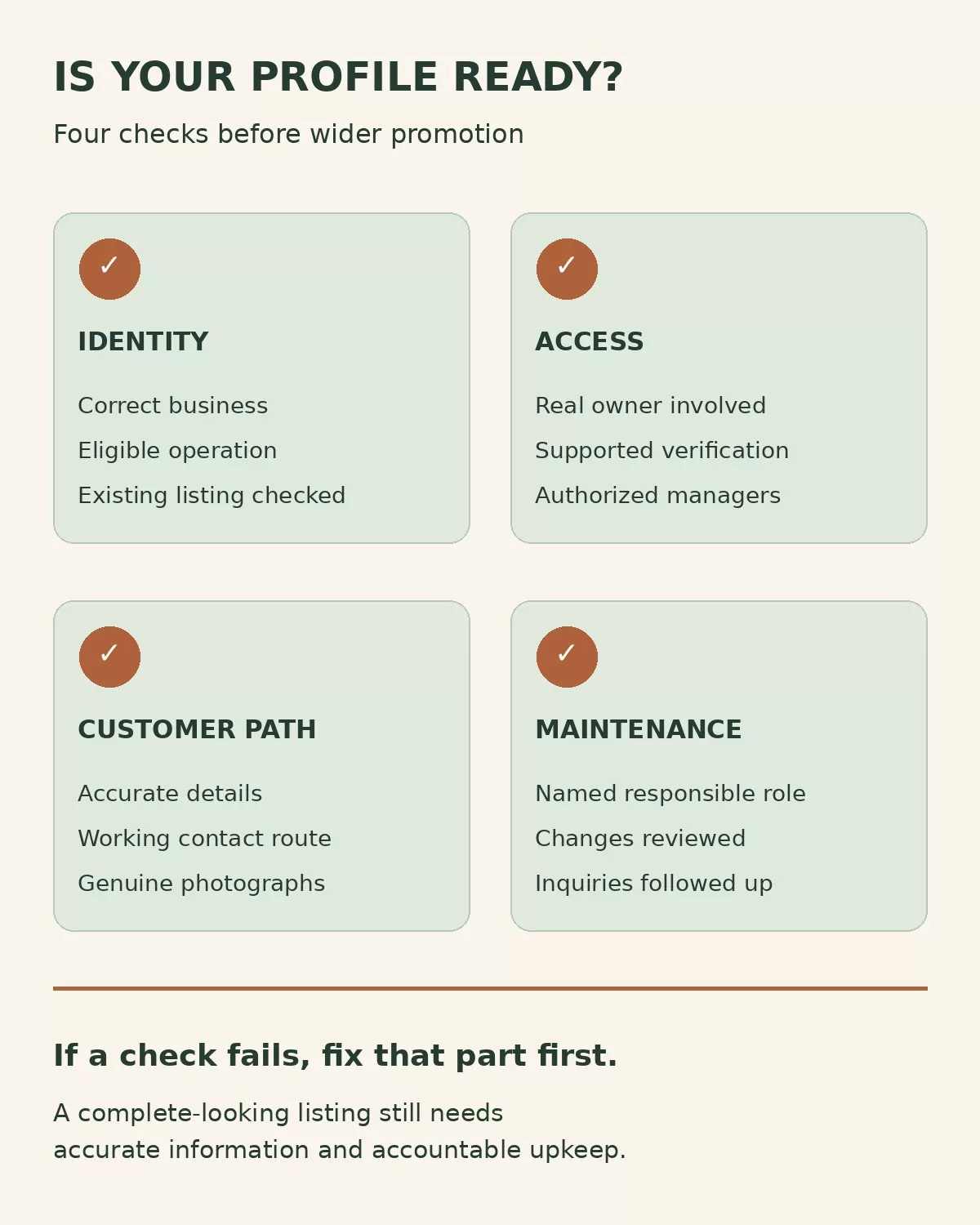
Check the actual profile and customer journey before marking any item complete. The checklist does not certify a profile or promise a search position.
A readiness check before promoting the profile
| Customer question | What your team should verify | If it fails |
|---|---|---|
| Is this the correct business? | Name, location identity, and existing profile match. | Resolve identity or ownership before promoting it. |
| Can this business do the work? | Core category, service explanation, and real operating limits agree. | Remove unsupported claims and clarify the offer. |
| Can I reach the right person? | The public phone or website route reaches the intended team. | Correct the destination and assign follow-up ownership. |
| Will the information still be right next week? | An owner can update changes in hours, services, and access. | Establish a maintenance responsibility before expanding promotion. |
These are checks for your own team to perform, not results from a completed profile audit. Record the actual outcome, who checked it, and what needs correction. “Looks complete” is less useful than confirming that the customer can reach the intended destination.
6. Request genuine reviews without steering the outcome
Invite customers to describe their genuine experience without asking for a particular rating or wording. Google’s Maps policies prohibit paid or incentivized reviews and selective solicitation of positive reviews. Do not offer discounts for a review, screen out unhappy customers, or ask staff to manufacture feedback.
The FTC’s consumer-review rule guidance separately explains that incentives conditioned on a particular sentiment are prohibited. Platform rules can be stricter than that legal baseline. Meeting one requirement does not establish that a review campaign meets every applicable rule.
Respond to criticism with a clear explanation of the next support step, without exposing private customer details or inventing what happened. A public reply should not become a substitute for investigating the underlying service problem. Keep any sensitive case discussion in an appropriate private channel.
7. Assign maintenance and inquiry follow-up
Give one responsible role a routine for checking public information and a clear trigger for urgent changes. A closure, changed phone number, or altered service offering should prompt a review rather than waiting for the next marketing campaign. Keep an approved record of what changed and why.
Connect incoming inquiries to the team’s marketing-to-sales handoff. Specify who receives the lead, how the request is recorded, and what happens if that person is absent. The benefit of a discoverable profile can disappear when a legitimate inquiry waits without an owner.
Evaluate business outcomes alongside channel activity. For example, a fictional repair shop could record which inquiries concern services it actually provides and whether those inquiries become booked jobs. That is a proposed measurement approach, not evidence that this setup increases sales. Do not treat every interaction as a new customer.
Protect access while improving the profile
Unexpected messages demanding credentials or immediate action deserve independent verification. The FTC’s small-business phishing guide recommends checking requests through a known company website or telephone number instead of trusting details in the message.
Keep the owner involved when an outside provider helps. Record authorized access and responsibilities, and use the supported management process rather than circulating a shared password. A claim that an agency can guarantee a particular ranking should prompt careful scrutiny. Google says there is no way to request or pay for a better local ranking.
Keep Google Business Profile for small business grounded in real operations
Google Business Profile for small business works best as an accurate customer reference with accountable maintenance. Confirm eligibility, recover the correct existing profile, verify through the available route, and check the customer’s next step. Then keep the information and follow-up process current. Those actions build a usable foundation without relying on duplicate listings, manufactured reviews, or ranking promises.