

QuickBooks vs Xero vs Wave is a practical choice about how you will keep the books when you also have to run the business. Start with the work you do every month: sending invoices, recording expenses, reconciling the bank and handing usable records to a tax professional. The right subscription is the lowest-cost arrangement that handles those jobs reliably without creating more administrative work than it removes.
For a US solo service business with straightforward finances, Wave deserves a look when minimizing subscription cost matters. Xero is worth comparing when collaboration and reconciliation shape the workflow. QuickBooks Online is a sensible candidate when the accountant you intend to work with already supports it. Those are starting points, not a universal ranking.
This is a documentation-based comparison of US offerings checked November 15, 2026. It is not a hands-on product test. Prices below distinguish ordinary monthly prices from introductory offers. Payment processing, payroll, taxes, implementation and other extras can change the total.
QuickBooks vs Xero vs Wave at a glance
| Decision | QuickBooks Online | Xero US | Wave |
|---|---|---|---|
| Entry point to examine | Free, or Simple Start for a paid accounting workflow | Early; compare Growing when usage exceeds its limits | Starter for basic bookkeeping; Pro for additional automation and collaboration |
| Ordinary monthly software price checked | Free: $0. Simple Start: $38 | Early: $27. Growing: $59 | Starter: $0. Pro: $19 USD |
| Important entry-plan boundary | Free lists one bank connection, two invoices per month and no accountant access; qualifying Payments activation changes the invoice allowance | Early lists 20 invoices and five bills; approval and sending count toward the invoice limit under its terms | Pro adds automatic bank imports and ordinary Admin, Editor and Viewer invitations |
| A useful reason to shortlist it | Your actual accountant supports the plan and handoff you need | You want shared access without per-user license fees | You can keep a simple workflow economical without paying for unused complexity |
The listed prices are the regular monthly amounts displayed on the checked US pages. Temporary discounts are not the ongoing budget. For example, Wave also lists a $190 annual Pro subscription, which is a different billing commitment from paying $19 each month.
Start with a month of work, not a feature count
Write down how many customer invoices and supplier bills you actually process. Count the bank and card accounts used by the business. Then identify who needs access: you, a bookkeeper, an accountant or someone who only reads reports. A one-person company can still need a collaborative accounting system.
Separate essential requirements from possible future ones. If you currently sell consulting hours, a sophisticated stock workflow may add little value. If you already buy and resell goods, inventory handling belongs in the initial evaluation. The product name alone does not establish that a particular plan supports your process.
The IRS’s recordkeeping guidance allows a system suited to the business that clearly shows income and expenses. That makes the quality of your records and working routine more important than buying the most expensive subscription. The software still needs to produce records you can understand and support.
QuickBooks Online: examine the free-to-paid boundary
QuickBooks’ US pricing page now includes a Free plan alongside Simple Start. Free lists income and expense tracking, core reports, one bank connection and one user, but no accountant access. It normally permits two invoices per month; its terms describe unlimited invoices when a business qualifies for and enables QuickBooks Payments. That distinction makes an older “QuickBooks always requires a paid subscription” comparison incomplete.
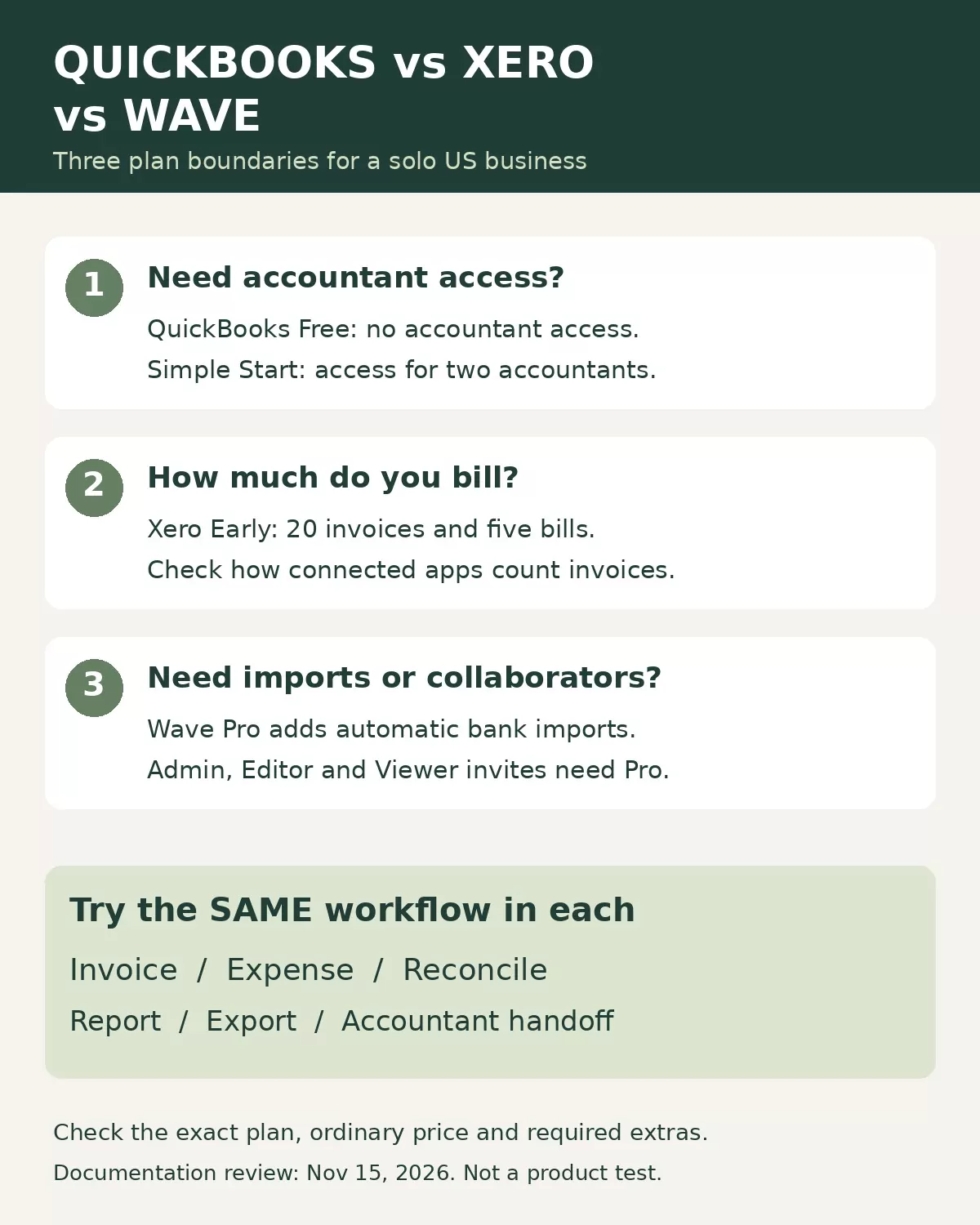
Simple Start lists one user plus access for two accountants. Its regular displayed price is $38 per month, with a temporary offer shown separately. For an owner who wants a professional to review the books regularly, the access difference can matter more than a long feature list.
Shortlist the paid plan when the specific accountant you expect to hire can confirm how they will receive records, review transactions and resolve questions. Do not assume every accountant wants the same setup. Ask for the expected bookkeeping or cleanup charge as well as the software cost.
A practical limitation is buying by brand without checking the tier. A solo business can need more than an entry plan offers, while another can manage comfortably with less. Demonstrate your billing and reporting requirements in the exact plan under consideration before committing. An advertised automation feature should also be checked against your own transactions; it does not remove responsibility for reviewing the books.
Xero: watch transaction limits before paying for room to grow
Xero’s US page lists Early at a regular $27 per month and Growing at $59. Early includes bank reconciliation and reporting but limits invoices to 20 and bills to five. Its invoice-count terms cover approving as well as sending invoices, and transactions initiated by connected apps may contribute to the limit.
That can make Early a candidate for a consultant with a small number of recurring clients. A solo owner issuing many small invoices should compare the next plan immediately. Headcount does not predict billing volume.
Xero states that it does not charge per-user license fees. That is useful to investigate when you want another person to help with the records, even though there is only one business owner. Access settings and the actual collaboration process still need checking.
Do not upgrade merely because you might grow. First identify the limit or missing capability that affects your work now. If the lower plan fits until a predictable threshold, record that threshold and the resulting cost in your decision notes. If your normal month already exceeds it, compare the suitable plan rather than presenting Early as the real price of your workflow.
Wave: separate free bookkeeping from paid convenience
Wave’s Starter plan is listed at $0 and includes unlimited estimates, invoices, bills and bookkeeping records. Pro is listed at $19 USD per month, or $190 with annual billing. Its pricing page places automatic bank imports, transaction merging and categorization, receipt capture and automatic late-payment reminders in Pro.
For an owner with a small amount of uncomplicated activity, Starter can be a reasonable candidate if the remaining manual work is manageable. The useful question is whether you will maintain that routine through a busy month. A free subscription does not make neglected bookkeeping inexpensive.
Wave’s help documentation says automatic bank transaction imports are part of Pro. Connection support also matters: do not treat a bank’s name appearing somewhere in a vendor’s materials as proof that your exact account will connect successfully. Confirm the available connection before relying on it for month-end work.
Collaboration has its own boundary. Wave’s invitation documentation reserves Admin, Editor and Viewer invitations for Pro subscribers. Payroll Manager and US Block Advisors Tax Pro roles have different availability. A solo owner who needs ordinary bookkeeper access should budget for the applicable plan rather than assuming free access for everyone.
The decision is often between accepting a simpler manual routine and paying for specific convenience. Name the task you expect Pro to improve, estimate its current time cost and check whether it actually improves during your evaluation.
Compare total cost using your own assumptions
Use three columns in a worksheet: software, required extras and your own administrative time. Include recurring services you genuinely need, plus any setup or migration work. Keep payment fees separate from subscription fees so you can explain what drives the total.
Here is an illustrative calculation, not a measured product result. Assume a plan costs $19 per month and saves 45 minutes of work. At an assumed value of $30 per hour for your time, that saving is worth $22.50. The difference is $3.50 per month before other costs. If it saves only 15 minutes, the time value is $7.50 and the same subscription no longer pays for itself on that assumption alone.
This does not prove a particular plan saves time. It gives you a question to answer during an evaluation. Record the minutes spent importing transactions, correcting categories, finding documents and preparing reports. Include review time rather than counting every automatic suggestion as completed bookkeeping.
Use one small evaluation to expose the wrong fit
Prepare a permitted sample with sensitive customer and bank details removed. Use the same example tasks in each candidate. The following is a proposed evaluation protocol, not a test performed for this article.
- Create an ordinary invoice and a corrected invoice. Check the output and how usage limits are counted.
- Record an expense and its supporting receipt. Check whether you can retrieve the document from the entry.
- Import or enter a small transaction set and review duplicate handling. Check a refund and a transfer separately.
- Match the records against a statement and explain the remaining difference.
- Produce the reports your accountant requests and check the available export.
- Review access permissions and repeat the handoff with the person who will actually help.
When reconciliation fails, first determine whether the difference is timing, a missing entry or a classification issue. Our explanation of bank statements versus accounting ledgers provides a useful starting point for that check.
Keep the supporting documents alongside the numbers. The IRS’s guidance on supporting business records explains that invoices, receipts and other documents support entries in the books, and that electronic records must meet the applicable recordkeeping principles. A clean dashboard is not enough if you cannot explain where an entry came from.
Choose the plan with the fewest unresolved exceptions
A useful decision note fits on one page: chosen product and plan, ordinary price, essential included functions, known limits, required extras, accountant handoff and a reason to reconsider. Add the date you checked the terms. This prevents a trial discount or an attractive demonstration from becoming the entire purchasing argument.
For a broader shortlist beyond these three products, use our guide to comparing accounting software for a small business. Keep the final decision tied to your own transactions rather than the number of tools on a list.
The practical verdict on QuickBooks vs Xero vs Wave
Resolve QuickBooks vs Xero vs Wave by checking the constraint that affects your next normal month. Examine QuickBooks’ free and paid access boundaries, Xero’s invoice and bill limits, and Wave’s division between basic bookkeeping and Pro features. Then compare the cost of the plan that actually fits. Choose the option whose records you can reconcile, whose handoff your accountant can use and whose routine you can maintain when business gets busy.